My Apple iBook G4 - hardware upgrades

July 8, 20251450 words7 mins readPart of Apple iBook G4 series
My Apple iBook G4 - hardware upgrades

This is the sixth part of the “My Apple iBook G4” series of articles, and it’s all about the hardware upgrades you can do to your iBook G4 12".

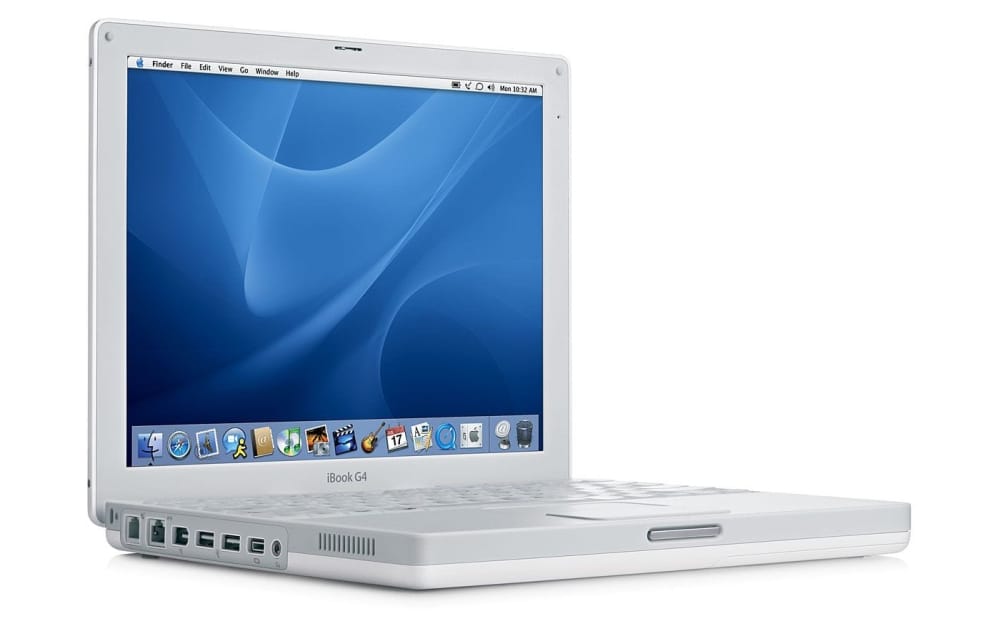
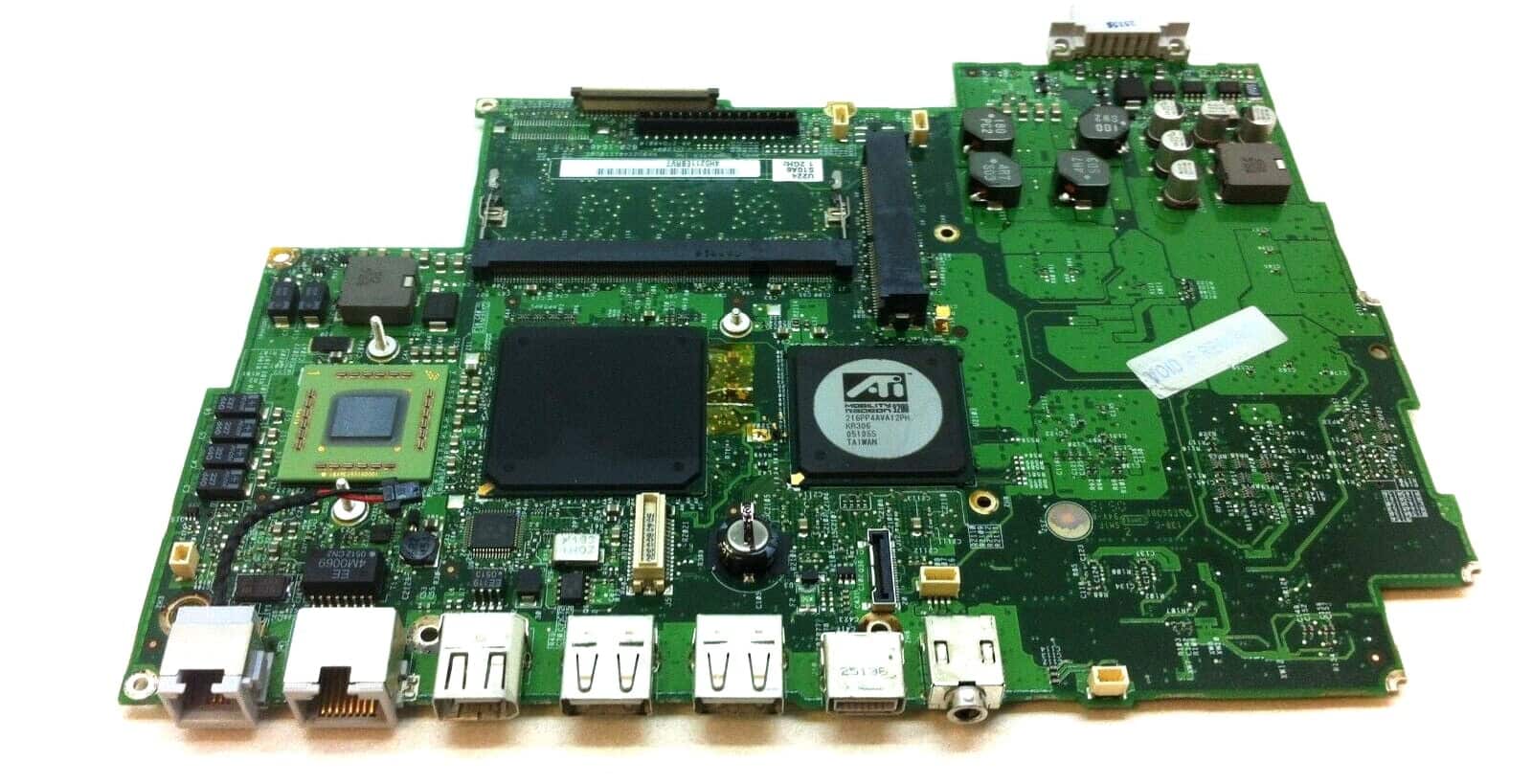
As you probably know by now, I bought myself an Apple iBook G4 12" laptop (1.2GHz/256/30G/Combo/APX) at the beginning of the year, with the idea of transforming it into a retrobook and replace my trusty Nokia Booklet 3G. The device I have is A1054 from late 2004 (actually launched October 2004), and I’ve always wanted to replace the logic board with the one from the A1133 model number (launched in July 2005), which is powered by a 1.33GHz CPU, has 512MB of RAM built-in and a better GPU (ATI Radeon 9550 instead of ATI Radeon 9200). It’s the most powerful iBook except for the 14" 2005 model, which has a 1.42GHz CPU, but I’m not keen on lugging 2.7kg around, as opposed to 2.2kg for the 12" one.


Read more ...

My Apple iBook G4 - development

June 20, 20251637 words8 mins readPart of Apple iBook G4 series
My Apple iBook G4 - development

This is the fifth part of the “My Apple iBook G4” series of articles, and it’s all about setting up a development environment with modern-ish tools on my iBook retrobook.

You can install all the software you want, and all the games available for the PowerPC architecture and OS X 10.5 Leopard, but if you want to setup a development environment on a 20-years old machine, you will definitely need to jump through some hurdles. But in the end you will have a decent machine to write code (and test) on, unless you need specialized stuff like NodeJS, Docker, Golang, Redis, or things that require an octacore CPU and 64GB of RAM. But for that you should use a better-suited machine, anyway.

Read more ...

My Apple iBook G4 - dual-booting Tiger/Leopard

May 22, 2025637 words3 mins readPart of Apple iBook G4 series
My Apple iBook G4 - dual-booting Tiger/Leopard

This is the fourth part of the “My Apple iBook G4” series of articles, and it’s all about dual booting OS X (10.4) Tiger alongside OS X (10.5) Leopard on my iBook retrobook.

And a short article will it be, because everything is so simple: basically I want OS X (10.4) Tiger since I want to be able to run Classic Environment. The Classic Environment is a hardware and software abstraction layer in PowerPC versions of Mac OS X that allows most legacy applications compatible with Mac OS 9 to run on Mac OS X.

Read more ...

My Apple iBook G4 - games

February 15, 2025770 words4 mins readPart of Apple iBook G4 series
My Apple iBook G4 - games

This is the third part of the “My Apple iBook G4” series of articles, and it’s all about the video games you can run on your iBook G4, under Mac OS X 10.5.8 Leopard.

Well, it’s pretty simple: if you’re into retro games, think 1995-2009, there is a big chance that it will work on an Apple iBook G4 laptop. Its GPU is an ATI Radeon Mobility 9200 @ 200MHz with 32 MB of SDRAM @ 230MHz and the CPU is a PowerPC G4 @ 1.2 GHz, with 64KB L1 and 512KB L2 cache, 133MHz FSB. And 1.256 GB RAM @ 266MHz (not one thousand GB, 1GB + 256MB).

I tested some of my favorite games and it seems as if everything works just great with very good performance, but then again I don’t really play games newer than 2010, Oxygen Not Included is the only new video game I currently play.

Read more ...

My Apple iBook G4 - software

January 30, 20255269 words25 mins readPart of Apple iBook G4 series
My Apple iBook G4 - software

This is the second part of the “My Apple iBook G4” series of articles, and it’s all about the software you can run on your iBook G4, under Mac OS X 10.5.8 Leopard.

I’ll try to link to the original sites or Archive.org copies first, for a bit of safety.

For more software, browse the PowerPC Software Archive, Macintosh Garden, Macintosh Repository, Macintosh Garden Archive, my personal software archive and other similar websites.

Read more ...

My Apple iBook G4

January 20, 20253238 words16 mins readPart of Apple iBook G4 series
My Apple iBook G4

Made from ultratough polycarbonate plastic — the same high-grade material used in bulletproof glass — the iBook’s sleek white case resists impact. While that measure alone might have allowed iBook to comfortably survive everyday use and abuse, Apple engineers took the idea of protecting your investment quite seriously. Inside, a sturdy magnesium frame provides superior strength, while reducing the weight of the iBook G4 to well below that of other full-featured PC notebooks. Rubber mounted for added bump tolerance, the iBook’s hard disk drive lets you store all of your digital goodies and still enjoy peace of mind. What’s more, the iBook has no I/O doors or protruding elements — and no optical drive tray, either — to break or snap off when tucked into a backpack or briefcase. Apple website

My machine is an Apple iBook 12" 1.2GHz/256/30G/Combo/APX (at least that’s what the sticker behind the keyboard is trying to tell me), which means it has a 1.2GHz PowerPC CPU that cannot be replaced (unless you replace the whole mainboard, or logic board as Apple likes to call it), 256MB of RAM onboard, a 30G HDD, a Combo CD reader/DVD reader/CD writer unit (no DVD writer, I think that’s called a SuperDrive and it used to cost extra) and an Airport Extreme WiFi card. Basically, except the aforementioned SuperDrive and the Bluetooth module, everything is perfect (the last and best iBook G4 had a 1.42GHz CPU and 512MB of RAM built-in, but the difference is small and I’m not too fussed about it).

Read more ...