Hoshi operating system

An operating system (OS) maps a model of computation, defined by its kernel interface, onto the underlying hardware. A simple and intuitive model of computation makes it easy for programmers to write applications. An efficient implementation of the mapping makes the applications run fast. Typical as interfaces for von Neumann hardware include processes (CPU), address spaces (memory), and I/O devices (I/O).
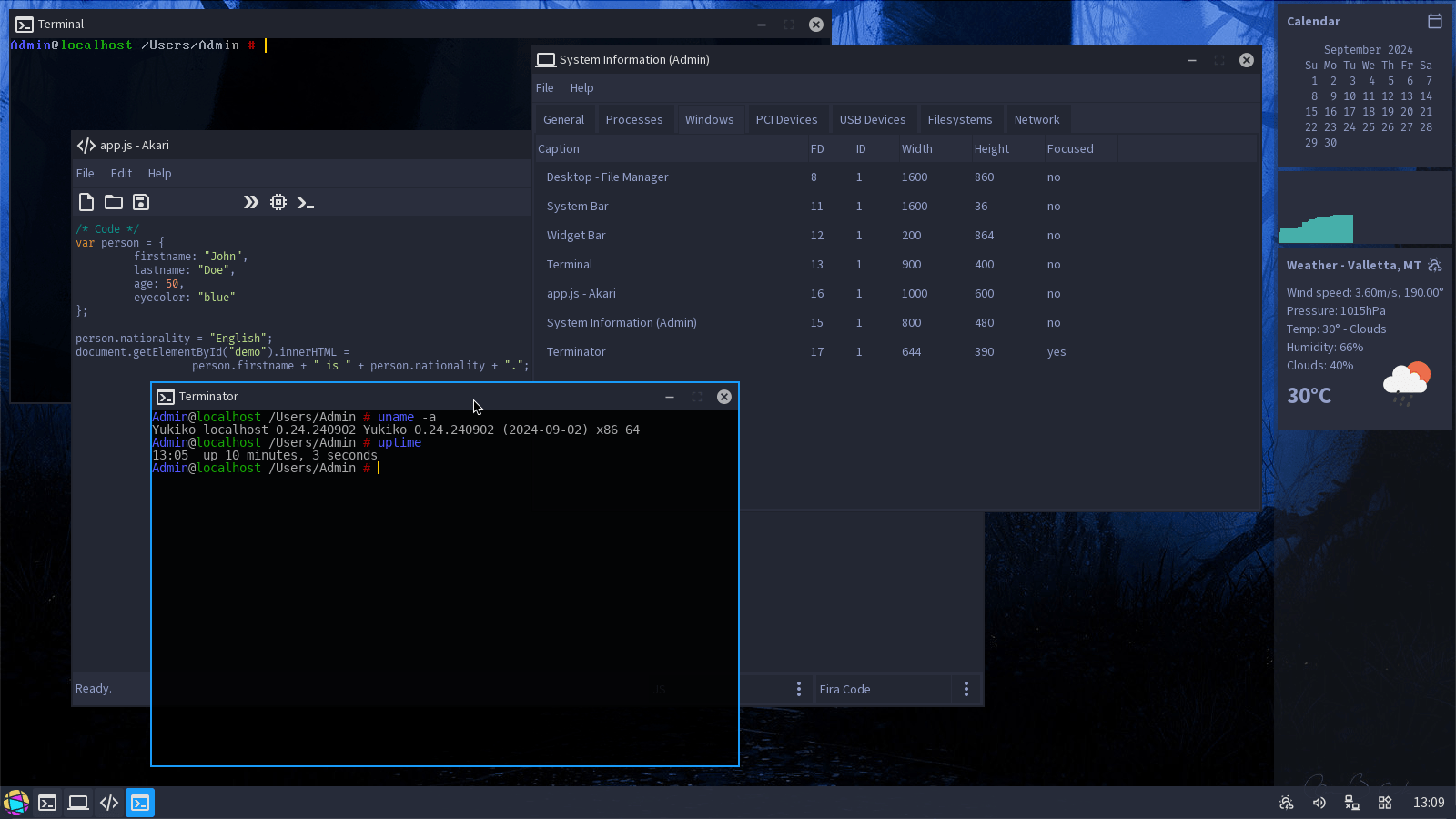
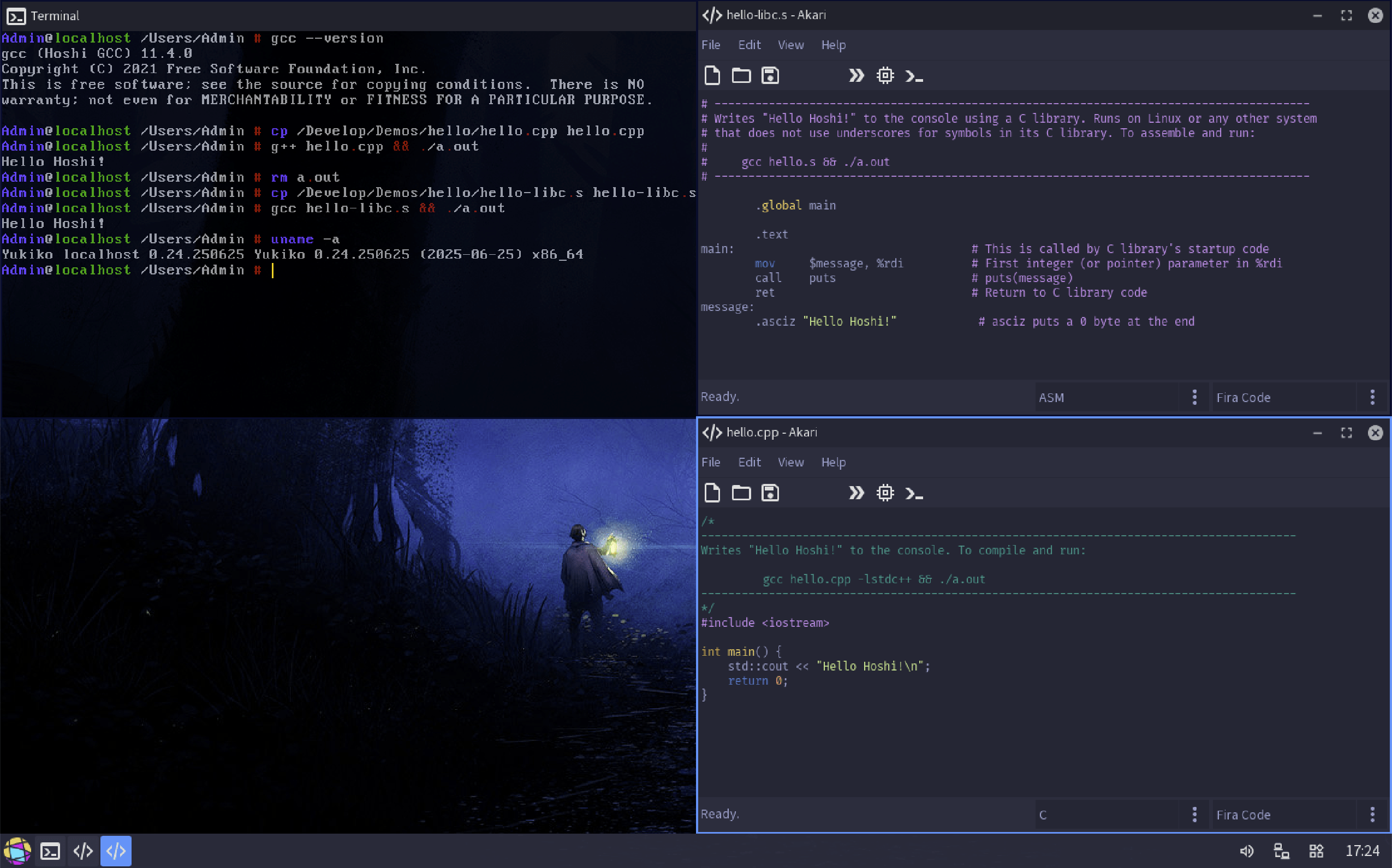
Hoshi 星 is an custom hobby operating system for the x86_64 platform. It’s not Linux but it is POSIX-compliant and runs on a custom kernel named Yukiko 幸子. It is written from scratch in C, including the kernel, boot-loader, standard library, GUI library and all major components.
It has a mode called HoshiMin (yes, I know) where it boots into console with minimal applications (but with network support active), minimal memory pressure (under 64MB used) no GUI window manager and kernel debugging dumped into the first serial port. ISO filesize is 12MB for HoshiMin, 38MB for full-GUI Hoshi and 358MB for Hoshi + binutils and gcc ports.
Keep in mind that I have no intention of releasing the source code or an ISO, for now.
I’m developing 星 on a Debian laptop openEuler VM under Windows 10 WSL Debian arm64 virtual machine running on Parallels (macOS) and testing is done mainly on QEMU Virtualbox UTM. Editor is Sublime Text and sometimes I use JetBrains CLion. More info about the development setup here.
Requirements
- x86_64 CPU.
- 64MB RAM (256MB for GUI).
Features
- ☑ boots from a MBR using a custom bootloader.
- ☑ has a Graphical User Interface with APIs.
- ☑ multithreading.
- ☑ has a network stack supporting IPv4 and IPv6, DNS, ICMP, TCP and UDP.
- ☑ custom filesystem named HOFS (Hoshi File System), ISO 9660 filesystem, FAT32.
- ☑ implements the POSIX API using a custom basic C library.
- ☑ the GNU toolchain (binutils and GCC can run native on Hoshi).
- ☑ can be compiled on a modern system using GCC 10.
- ☑ has an Internet Relay Chat (IRC) client.
- ☑ has an e-mail client with support for POP3 and SMTP.
- ☑ Universal Serial Bus (USB) EHCI support.
- ☐ Symmetric Multiprocessing (SMP).
- ☐ audio support and drivers.
- ☐ runs Doom and Quake.
- ☐ has a custom web browser.
- ☐ has Nyancat.
Hardware support
- Graphics: BGA for now.
- Input devices: PS/2 mouse and keyboard.
- PCI, VGA text mode, APIC.
- Storage devices: AHCI and IDE.
- Ethernet cards: Intel PRO/1000 (82540EM or 82545EM), Novell NE2000 and AMD PCNet (Am79C970A or Am79C973).
- Boots and runs on bare-metal and VirtualBox, QEMU, VMware, UTM (QEMU under the hood) or Parallels.
Ports
Applications
- ☑ Coreutils written from scratch.
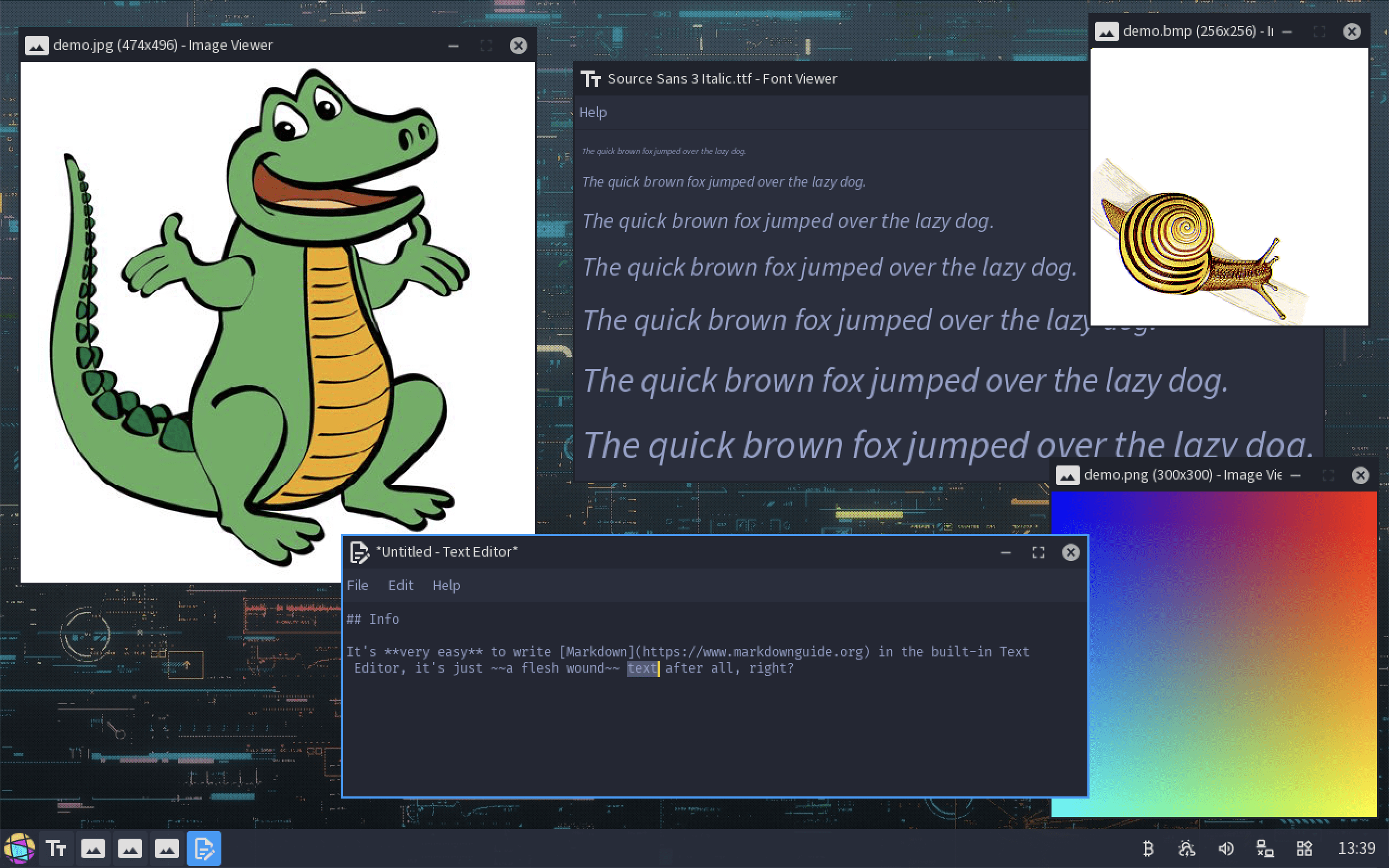
- ☑ Text file editor.
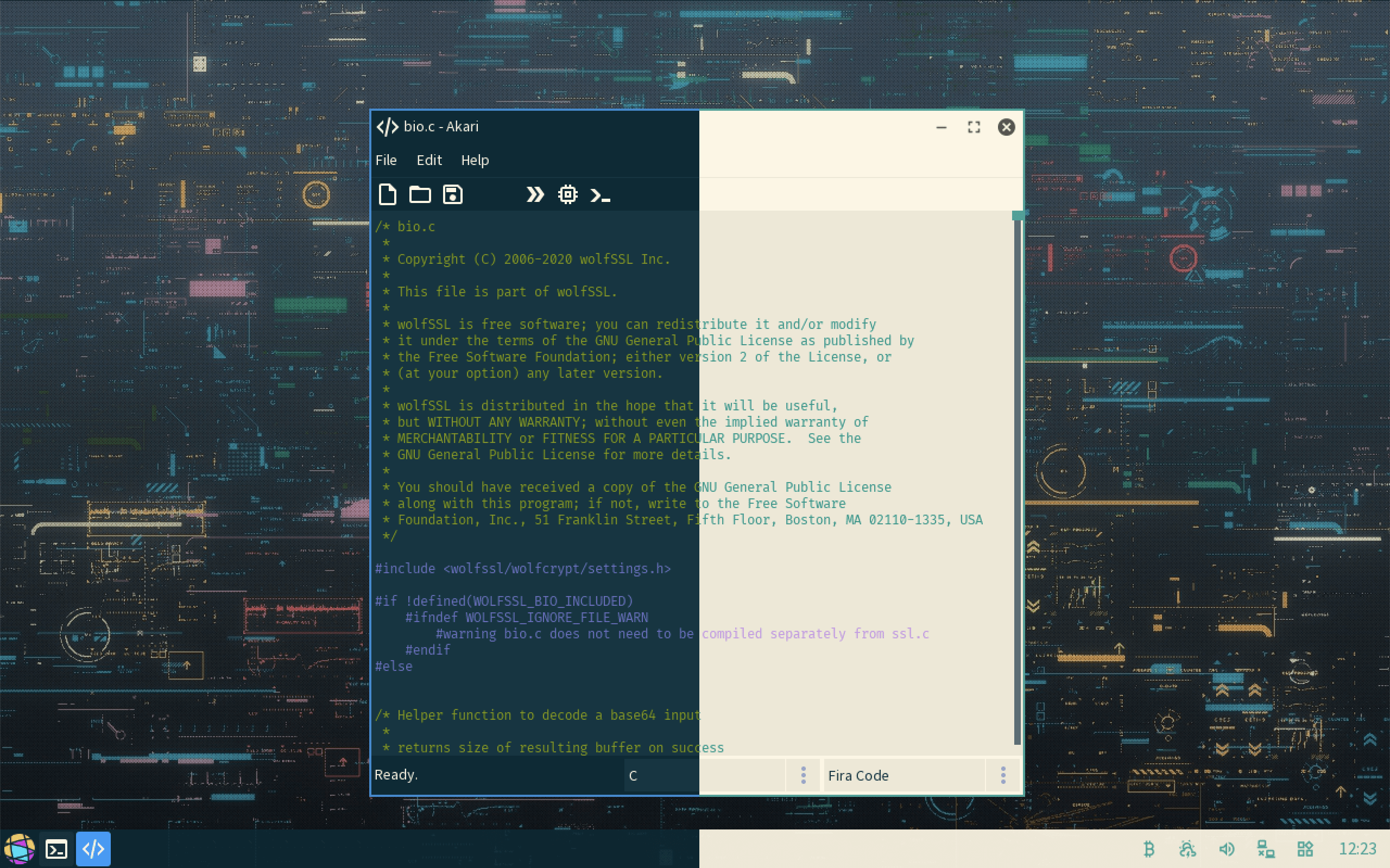
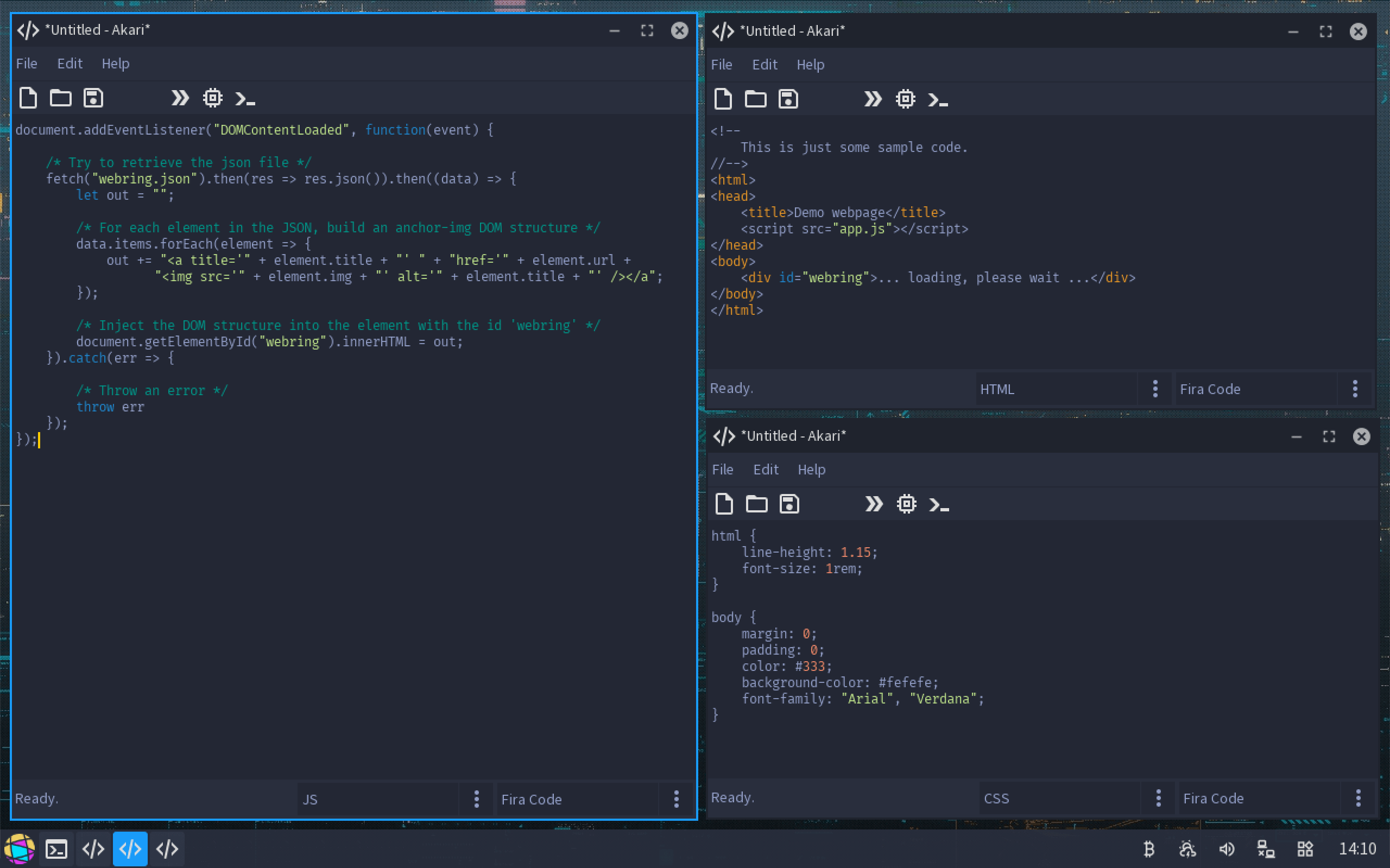
- ☑ Akari, the code editor with syntax highlighting.
- ☑ Daigo, Internet Relay Chat client.
- ☐ Painter, painting application.
- ☑ System Information.
- ☑ Kiyoko, the e-mail client with support for POP3 and SMTP.
- ☑ Process Manager.
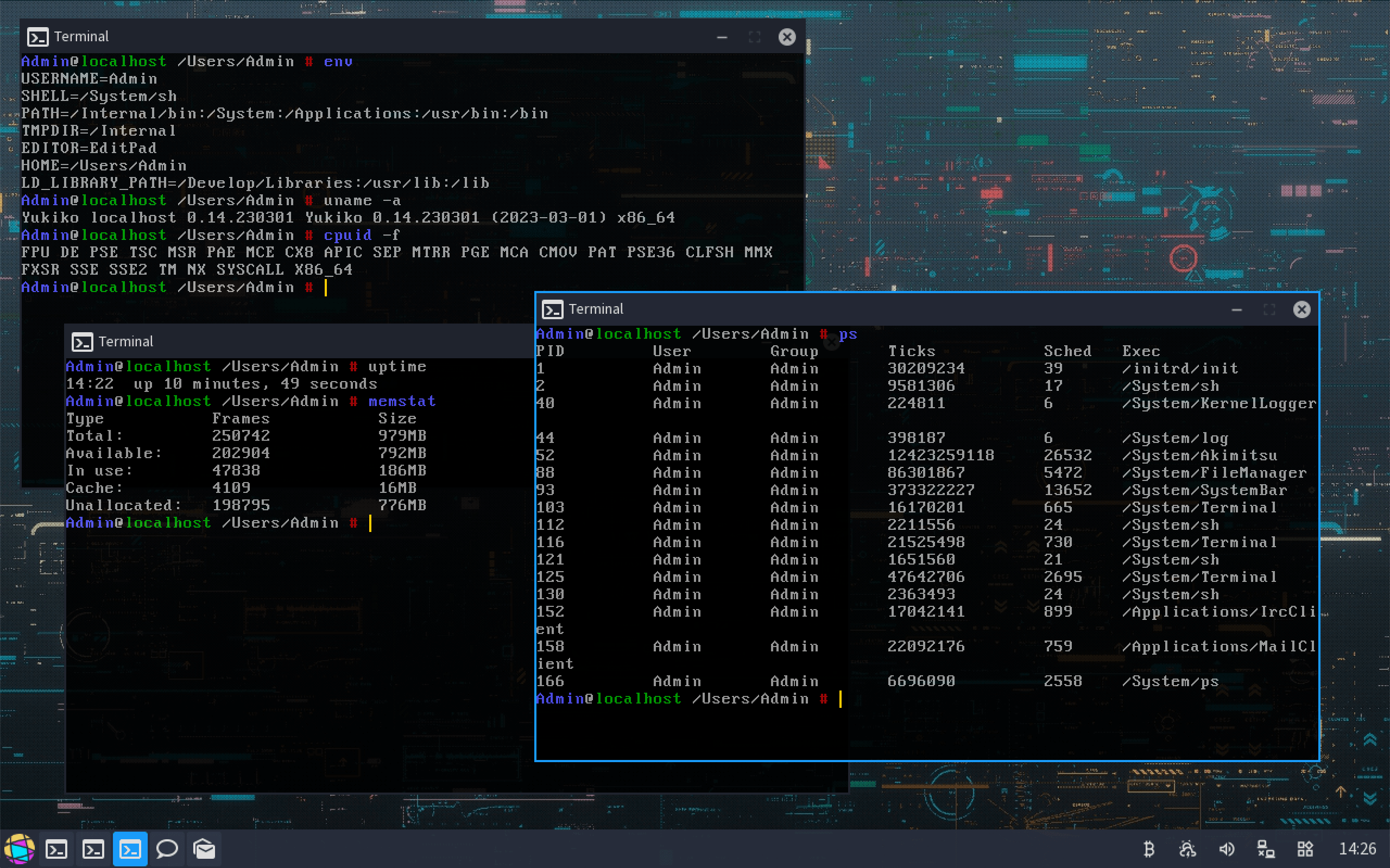
- ☑ Terminal.
- ☑ Calculator.
- ☑ Font viewer.
- ☑ Image viewer with support for BMP, PNG and JPEG.
- ☐ Tetsuya, RSS reader.
- ☐ Notes, todo and contacts.
Servers
- ☑ echo
- ☐ httpd
- ☐ sshd
- ☐ ftpd
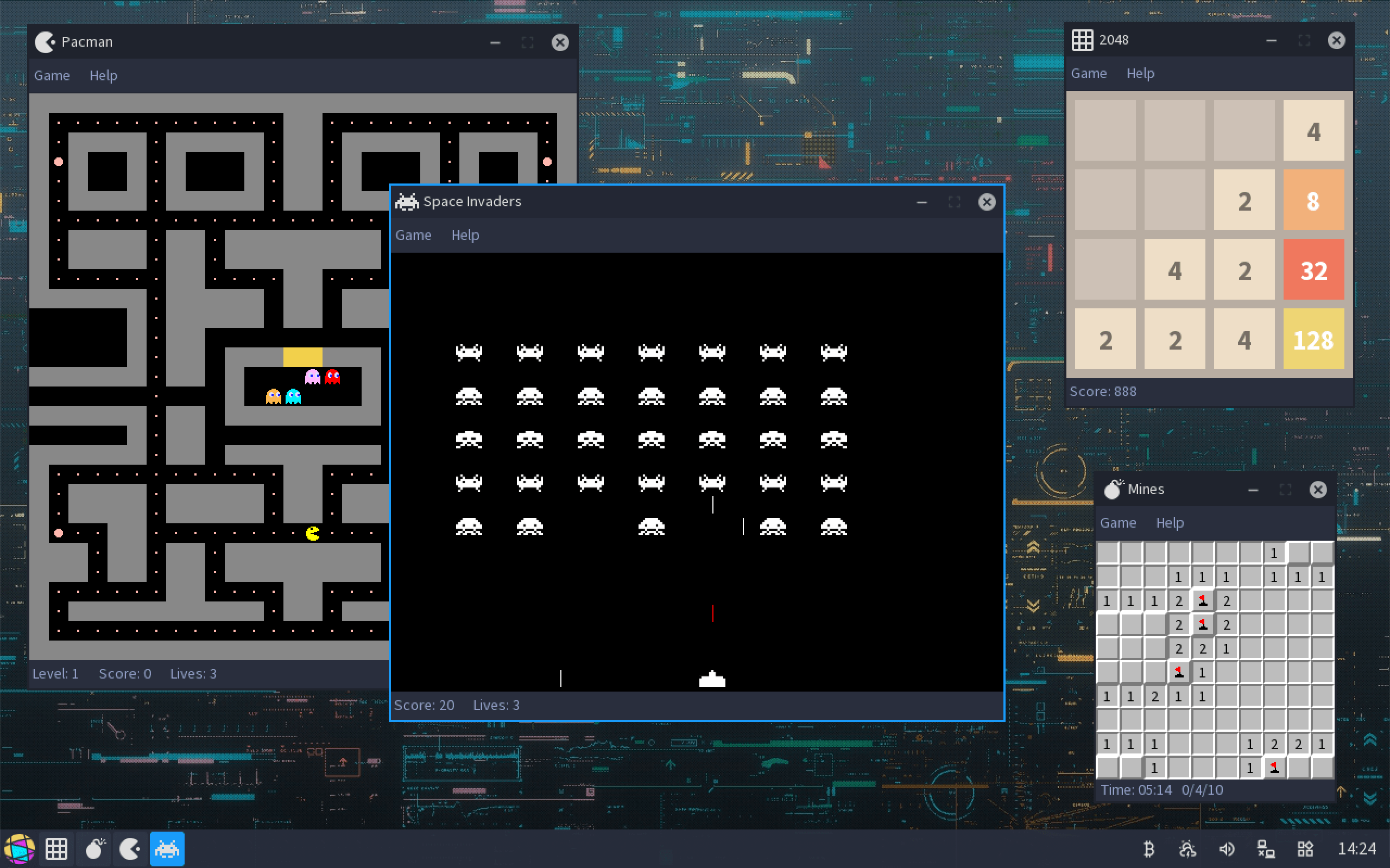
Games
- ☑ 2048
- ☑ Mines
- ☑ Tetris
- ☑ Breakout
- ☑ Space Invaders
- ☑ Pacman
- ☐ Doom
- ☐ Quake
- ☐ Memory
Components
Akimitsu
Akimitsu 昭光 is the GUI compositor and window manager.
Daigo
Daigo 大悟 is the Internet Relay Chat client application.
HoSH
HoSH is the simple (and basic) POSIX-compliant 星 shell.
Keiko
Keiko 恵子 is the network manager, responsable for loading the correct network card driver, initializing it and bootstrapping the whole network stack. Supports both IPv4 and IPv6, autoconfiguration can be done via DHCP or the configuration can be managed statically. Basic package filtering available too.
Kiyoko
Kiyoko 清子 is the e-mail client with support for POP3 and SMTP.
Masashi
Masashi 雅志 is the two-stage boot-loader.
Tetsuya
Tetsuya 哲也 is the RSS reader. It’s work in progress.
Yukiko
Yukiko 幸子 is the x86_64 monolithic kernel. It has multiple subsystems, ACPI management, video framebuffer, virtual filesystems and virtual devices, support for APIC, DMA, IDT, PCI, terminals (kernel and pseudo), threads (mutexes, semaphores, signals, preemptive scheduler), networking (Ethernet, ICMP, raw, Unix, TCP/IP and UDP sockets).
Libraries
- libc - C library.
- libgui - implements the GUI controls for Akimitsu (video compositor).
- libhoshi - helper library with support for Bitmaps, JSON parsing, basic crypto, IRC, POP3, SMTP, XML parsing.
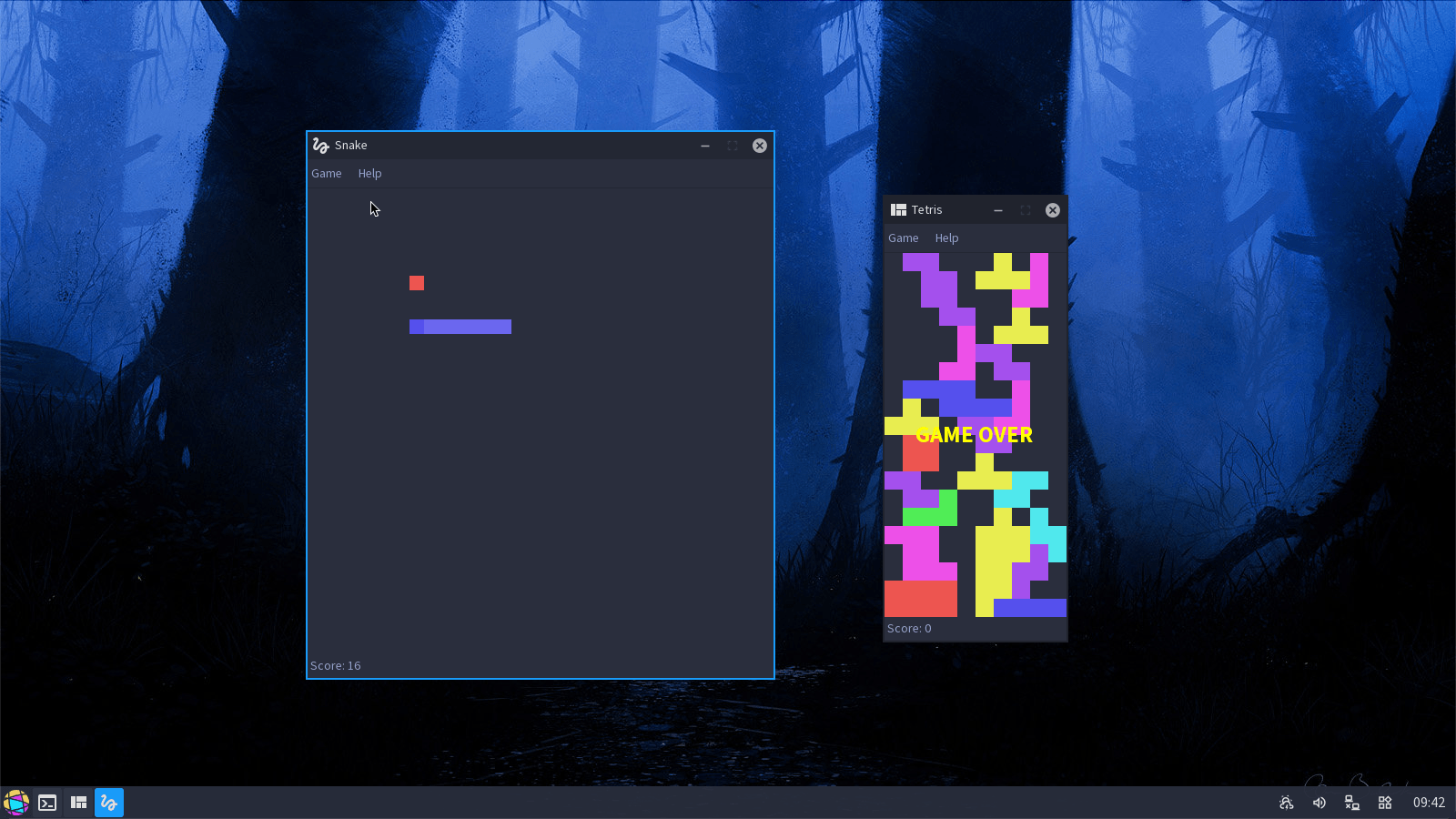
Akimitsu GUI controls
- Buttons
- Check boxes
- Combo boxes
- Data
- Images
- Menus
- Progress bars
- Radio boxes
- Scroll bars
- Tabs
- Text fields
- Toolbars
Syscalls
Below is the full list of 星 syscalls:
exitwritepwritereadpreadopencloseioctllseekraisestatlstatpausefstatchmodfchmodfsyncchownfchownmkdirftruncateunlinkrmdirdupdup2dup3insmodchdirgetcwdmmapmunmaprmmodlinksymlinkreadlinksleeputimeumaskshutdownunamesigwaitsigsuspendmcastfpolloxpermdxpermfchxpermchxpermhavepermsyncniceprocstatcpunokilltimenanotimedownroutetablesystatstatvfsfstatvfschrootmodstatmvpathctlatpathctlflock_setflock_getfcntl_setflfcntl_getflfcntl_getfdfcntl_setfdbindifblock_onunblockuniquealarmexecsigactionsigprocmaskgetparszgetparsfsbasegsbasemprotectforkwaitpidyieldrealpathseterrnoptrgeterrnoptrunmountsendrecvgetgroupssetgroupsgetpidgetuidgeteuidgetsuidgetgidgetegidgetsgidgetppidsetsidsetpgidgetsidgetpgidsetuidsetgidsetreuidsetregidseteuidsetegidpthread_createpthread_selfpthread_joinpthread_detachpthread_killpthread_exitaclputaclcleargetdentsocketbindsendtorecvfromgetsocknamelistenconnectgetpeernameacceptaccept4setsockoptgetsockoptsockerr
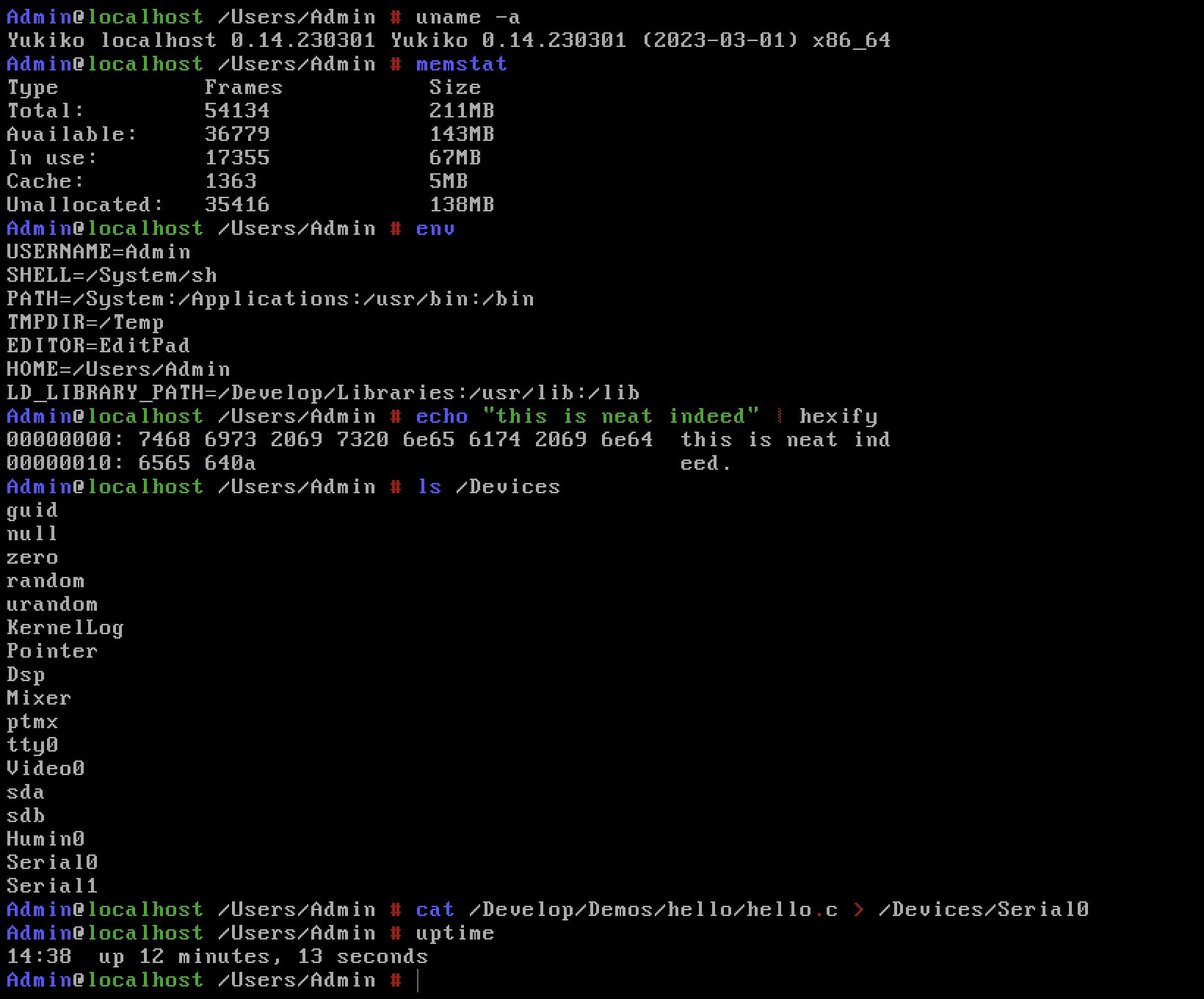
Statistics
The Python, C++, HTML, CSS, JavaScript and JSON files are just demos for Akari and not part of the 星 source code.
$ cloc src --quiet
-------------------------------------------------------------------------------
Language                     files          blank        comment           code
-------------------------------------------------------------------------------
C                              728          35559          50874         143889
C/C++ Header                   272           9256          21993          26385
Assembly                        34            403            270           1964
make                            53            319             22           1166
Bourne Shell                    24            167             69            915
CSS                              2            166            129            680
Markdown                         1             38              0             85
JSON                             1              0              0             43
JavaScript                       2              2              1             35
HTML                             3              0              0             33
C++                              1              2              6              5
Python                           1              1              0              2
-------------------------------------------------------------------------------
SUM:                          1122          45913          73364         175202
-------------------------------------------------------------------------------
Out of which Yukiko (the kernel) has:
$ cloc kernel --quiet
-------------------------------------------------------------------------------
Language                     files          blank        comment           code
-------------------------------------------------------------------------------
C                              226          20722          41571          67678
C/C++ Header                   127           6401          14210          18283
Assembly                        17            217            147           1089
make                             1              9              0             24
Bourne Shell                     1              2              0              8
-------------------------------------------------------------------------------
SUM:                           372          27351          55928          87082
-------------------------------------------------------------------------------
Building
If you happen to run into the source-code “by mistake”, build 星 by installing dependencies first:
openEuler:
$ sudo dnf install wget patch gcc binutils genisoimage zlib-devel texinfo nasm autoconf flex bison g++ libmpc libmpc-devel gmp gmp-devel mpfr mpfr-devel isl isl-devel
Debian:
$ sudo apt install wget patch gcc binutils genisoimage libz-dev texinfo nasm autoconf flex bison
Suppose that you want to build a live ISO yourself, to start, create a working directory next to the src directory, named build and cd inside.
$ mkdir build && cd build
$ ../src/setup.sh --sysroot=/sysroot --iso
or if you’re building HoshiMin:
$ mkdir build-min && cd build-min
$ ../src/setup.sh --sysroot=/sysroot --min
To get the ISO, run make:
$ make
If everything went well, you should now have a file called hoshi.iso. Congratulations, you can now boot it!
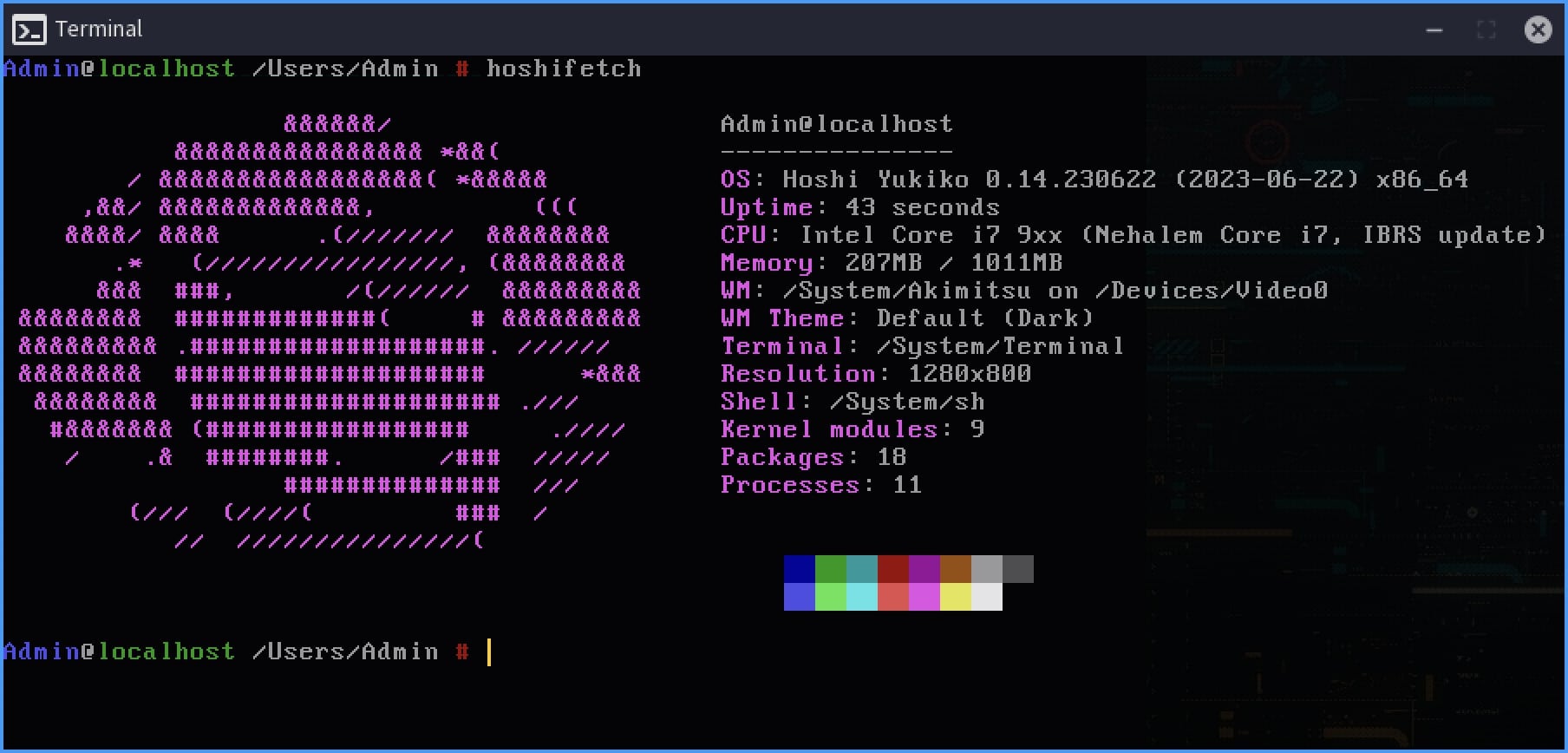
星 tips & tricks
- Starting and stopping Keiko is just a matter of typing those commands at the HoSH prompt:
$ net_up
or:
$ net_down
- Keiko will attempt to autoconfigure IPv4 networking using DHCP by default. If you want to enable IPv6, open
/Config/Interfaces.confand add this line:
interface eth0 ipv6 dhcp
Display or change the network configuration by using the
net_confutility.There is a basic coreutils package so you’ll find most of the tools you’re used to, like
cat,cp,date,dd,du,echo, etc.Development headers are installed in
/Develop/Headers.While there is a POSIX layer, 星 is not Linux. Device filesystem is
/Devicesinstead of/dev/, proc filesystem is/Processesinstead of/proc, applications are split between/Applicationsand/Systemdepending on the ACLs. For compatibility reasons there is a/usrdirectory and system libraries are installed into/usr/libbut this will change in future revisions to/Develop/Libraries.Most of the GUI customization stuff (wallpapers, cursors, icons, themes) can be found inside
/Data/Systemdirectory./binexists only so that shell scripts that use/bin/shor/bin/bashcan find the Hoshi shell.
Directory structure
Live ISO directory structure
This is the basic 星 live ISO directory structure, keep in mind that things get added depending on the applications that get built and installed. Lowercase directories are added for compatibility reasons.
|-- Applications
|-- bin
|-- boot
|-- Config
|   |-- Init
|   `-- Services
|
|-- Data
|   |-- AppIcons
|   |-- Applications
|   |-- Demos
|   |   `-- Images
|   |-- Docs
|   `-- System
|       |-- Cursors
|       |-- Fonts
|       |-- Icons
|       |-- Images
|       |-- mime
|       |-- Themes
|       `-- Wallpapers
|
|-- Develop
|   |-- Demos
|   |-- Headers
|   |-- Libraries
|   `-- Source
|
|-- Devices
|-- initrd
|-- Internal
|   |-- Keiko
|   `-- Logs
|
|-- lib
|-- lib32
|-- Processes
|-- System
|-- Users
|   `-- Admin
|       |-- Desktop
|       |-- Documents
|       |-- Downloads
|       |-- Pictures
|       `-- Projects
|
|-- usr
`-- Volumes
Source directory structure
This is the basic 星 source directory structure, keep in mind that things get added depending on the applications that get built and installed.
|-- build
|-- ports
|   |-- binutils
|   |-- freetype
|   |-- gcc
|   |-- libjpeg
|   |-- libpng
|   `-- libz
|
|-- src
|   |-- applications
|   |-- base
|   |-- base-min
|   |-- boot
|   |-- coreutils
|   |-- drivers
|   |-- init
|   |-- installer
|   |-- kernel
|   |-- libc
|   |-- libraries
|   |   |-- libgui
|   |   `-- libhoshi
|   |
|   |-- manual
|   |-- modules
|   |   |-- ac97
|   |   |-- ahci
|   |   |-- e1k
|   |   |-- fatfs
|   |   |-- hofs
|   |   |-- ide
|   |   |-- isofs
|   |   |-- ne2k
|   |   |-- pcnet
|   |   |-- ps2kbd
|   |   |-- serial
|   |   `-- vbox
|   |
|   `-- tools
|
|-- sysroot
|-- temp
`-- vm
    |-- bochs
    |-- qemu
    |-- utm
    `-- vbox
permalink http://sizeof.cat/project/hoshi/
created April 22, 2016
updated June 25, 2025
words 1810
tags #hoshi, #projects, #operating system, #osdev


