Website updates
I know I specified in my last “website updates” article that I didn’t want a dark theme for the new website layout, but it occured to me “in a dream” (just kidding) that a dark color scheme can be easily implemented using a CSS invert filter, some hue rotation and localStorage to save the user preference for the color scheme.
All the magic can be performed using a few CSS rules:
html[data-theme='dark'] {
	filter: invert(1) hue-rotate(180deg) brightness(100%) contrast(100%);
}
You might not want the images and video content inverted because it will look strange and people will send you angry e-mails:
html[data-theme='dark'] img,
html[data-theme='dark'] video {
	filter: invert(1) hue-rotate(-180deg) brightness(100%) contrast(100%) !important;
}
Now for the real question(s), what is hue-rotate, why 180 degrees and even more important, what’s the point. Well, hue-rotate is a CSS filter function and the hue rotation is done for a simple reason: for the HTML anchor links color i use #5550ed , and inverted by the filter: invert(1) line, this yields #aaaf12 which is a really ugly color (is it mustard? or something). I really wanted to preserve the blue tint since it’s almost part of my “brand”, and to keep the blue color but altered a bit as to fit the dark background, I used the hue-rotate CSS function to apply a color rotation by 180 degrees, and that results in the anchor links using the #9B96FF color. A hue rotation of 170 degrees resulted in a blue I did not like , and rotating the color by 190 degrees resulted in lilac . 180 was the sweet spot, to be honest.
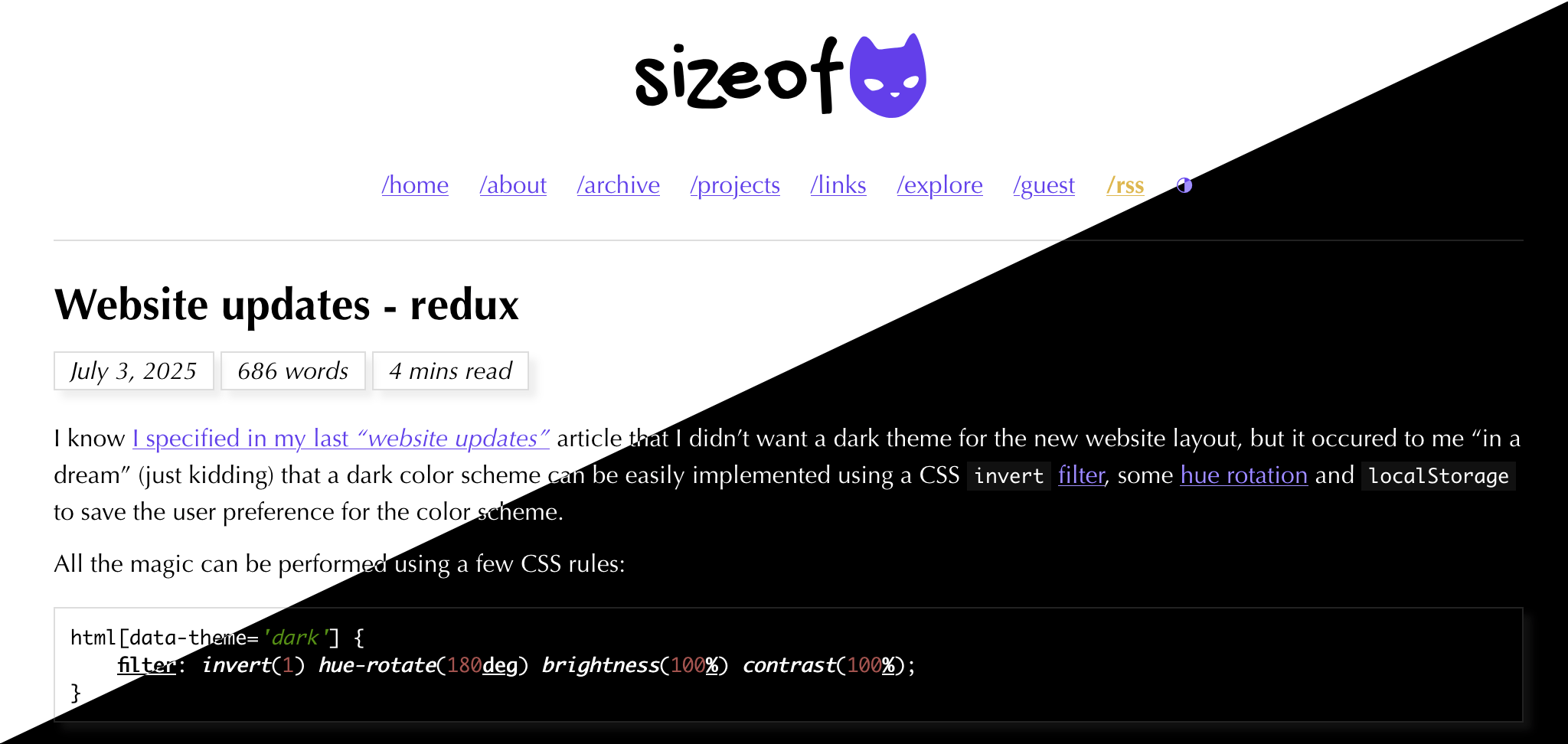
Yes, it sounds more complicated than it really is.
For images and videos I’m inverting them to the original colors, un-rotating the colors by -180deg so that the original colors are restored in all their glory. The brightness and contrast functions are there because I initially adjusted them a bit too. Feel free to remove if you’re not using them.
Add a few JavaScript lines in the mix (using HTML5 localStorage to save color scheme preference for each visitor, in browser’s storage) and it fits nicely into the layout of the website.
There might be better ways to achieve what I wanted, but that’s how I did it.
Next on the order of business, you probably saw that this website has a guestbook now (actually, since June 21st), and many of my website visitors (and friends) already signed it. Unexpectedly, I know, I didn’t have to delete a single message (except my tests, but that’s a given), and that means a lot to me. Thank you for the kind words and for keeping it civil but we all know this is going to change.
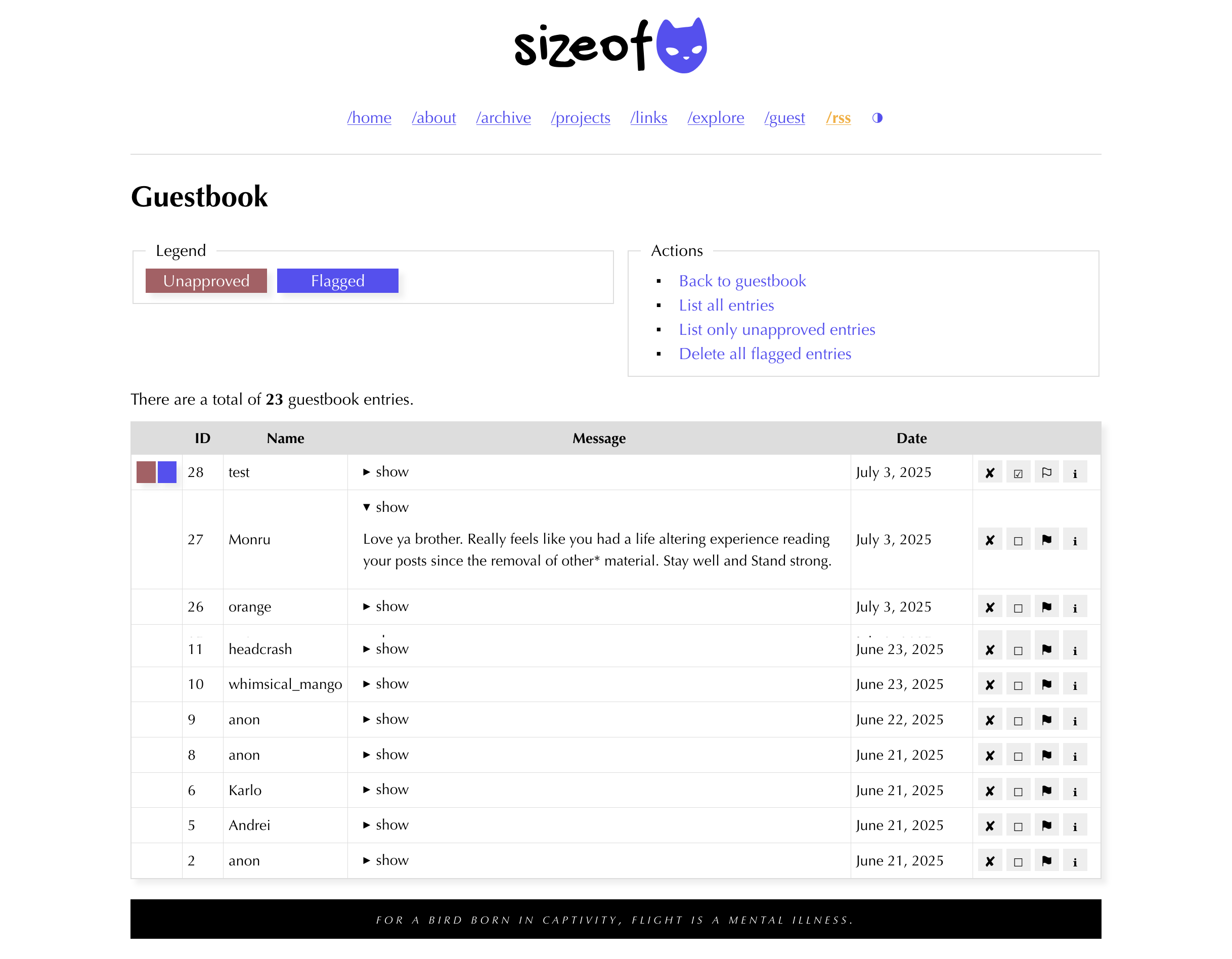
The “administration” part is really basic (written in PHP 8.4, data is in a SQLite database, and fully integrated into my Hugo layout), displaying all the messages and giving me various actions I can perform on them (approve/unapprove, flag/unflag, etc). Flagging is done automatically by parsing each message for specific words, and all messages are approved manually. If you’re curious about what that looks like, check out the image below (I merged the top and the bottom of the actual screenshot because the list is pretty long, try to spot the breaking point).
The whole “development” stage took about 6 hours, including testing (on live, as any true PHP programmer should do!). Not bad considering I haven’t written PHP code in ages, but I still remember about strip_tags(), htmlspecialchars() and prepared SQL statements. And hiding the “administration” part behind a htaccess file, a strict IP check, a special passphrase and only making it available during specific hours and days (ok, I’m joking about the last part).
No, the source code for the guestbook will not be released, neither for free nor paid.
I got a lot of e-mails during the past few days, mostly people asking me if it’s possible to restore one of their favorite articles (the name varied a bit but most people were keen on re-reading “The kind of tired sleep can’t fix”, so it’s available for reading again).
Take care, until the next time.


