Nokia Booklet retro-station - Windows 7
Contents
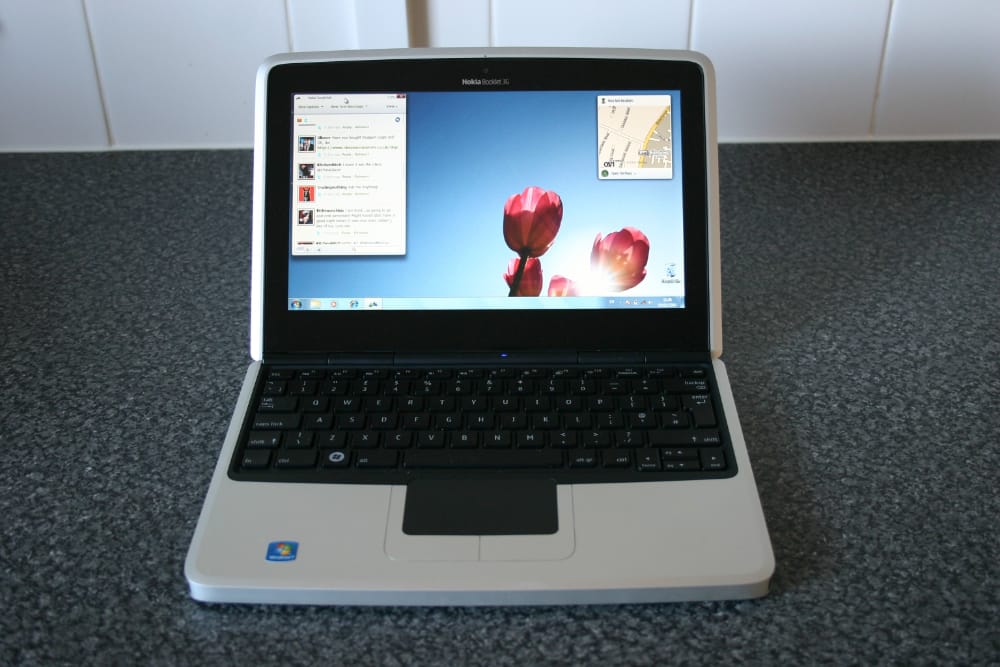
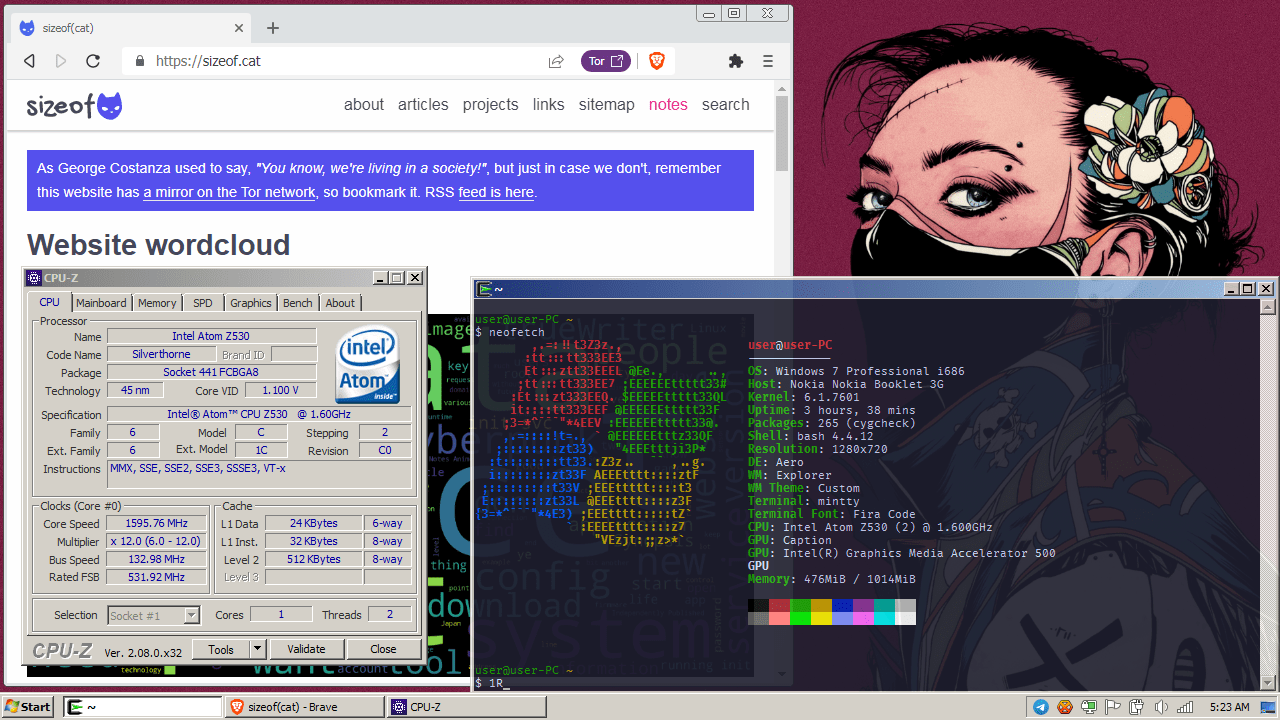
The Nokia Booklet 3G is a premium netbook by Nokia and if you want more info about it make sure you read my project page to get an insight in the device and its hardware. It’s my favorite netbook and despite the fact that it has only 1GB of RAM and is powered by a ultra low voltage Intel Atom CPU, plenty of stuff can be done with it.
All Nokia Booklets came with Windows 7 Starter preinstalled and you really don’t want to use that, so let’s install something better, like Windows 7 Professional. You can update your Starter edition if you have an original installation and it will keep the preinstalled Nokia software, if you want so.
When downloading files from non-official websites, make sure you compare the hashes with the original files so you don’t get malware. Exercise caution when downloading, installing and running files.
Also, this is work in progress, I will update the article with more information as I dig through my personal RAM to recover memories of what software I used on it in 2010.
Operating System
Download Windows 7 Professional, burn it to a USB stick with Rufus or whatever tool you like. Start your Booklet, press F12 and select the USB disk to boot from it. Install Windows normally to the built-in HDD (or SSD, if you opted to change the slow Toshiba disk with a more powerful SSD).
Activate your copy of Windows 7 Pro using this activation script.
Drivers
The Booklet and Windows 7 will coexist by default but you need to install drivers for all the devices in your netbook, expecially the driver for the Intel GMA 500 video card. You can find all the drivers here, I suggest you install each one of them EXCEPT Nokia_Booklet3G_Intel_Graphics.zip because that version will have some issues with Microsoft Office (and probably other software, I didn’t had time to dig). Instead, install the official Intel GMA 500 video driver (and the Option WWAN driver for Booklet’s modem).
Reboot the netbook when you’re done.
Hardware
To maximize the possibilities of using your retrobook in case you have no WiFi connection or you HAVE TO browse a floppy disk, some additional hardware might be required:
Connectivity
- [3G] - built-in on the Nokia Booklet, pop a SIM card into the SIM tray.
- [GPS] - built-in, you will need an active SIM card inside the Booklet.
- [Bluetooth] - built-in (2.1 +EDR).
- [WiFi] - built-in, although a bit slow (b/g/n only).
- [Ethernet] - TP-Link UE200 or any other USB network card with driver support for Windows 7 32bit. Useful when there are no WiFi connections but there is a cable connection nearby. Or when you don’t trust the WiFi providers (hotels or DefCONs).
- [DialUp] - USRobotics 5637 or any other USB dialup fax-modem with driver support for Windows 7 32bit. Useful for when you want to connect to a BBS old-school-style.
External media
- [SD card] - built-in, you can use normal-sized SD card as well as micro SD cards with a proper adapter.
- [floppy drive] - any USB floppy drive.
- [CD/DVD drive] - any USB CD/DVD drive.
Others
- [RTL-SDR adapter] - RTL-SDR Blog V4 R828D RTL2832U for those times when you want to listen to police radio comms or aircraft traffic control conversations.
- [USB-to-serial adapter] - FTDI Basic, useful when you need to attach a serial console to another device.
- WiFi Adapter with support for monitor mode and packet injection, for WiFi scanning and messing with (or TP-LINK TL-WN823N, TL-WN822N, TL-WN821N, Archer T2U Plus, Archer T4U V3, Archer T9UH).
Updates
Windows Update is screwed since Windows 7 is no longer supported, but luckily Legacy Update exists. Open Internet Explorer on your Booklet and point it to legacyupdate.net. It will do all its magic and update your Windows installation to the last updates available and will reboot your machine several times.
Applications
What’s an old machine without old software (or new old software)?
- [web browser] Pale Moon 33.2.1 - download, it’s the current version. Works perfectly, add the OverbitePM addon for Gopher support.
- [web browser] Brave 1.47.186 - download, last version available for Windows 7.
- [web browser] Chromium 109.0.5414 - download, last version available for Windows 7 32bit.
- [web browser] Mozilla Firefox 115 ESR - download, last version available for a 32bit OS.
- [web browser] Tor Browser 13.0.9 - download, last version available for a 32bit OS.
- [email client] - Sylpheed 3.7 - download, it’s the current version.
- [archiver] WinRAR 7b3 - download, it’s the current version.
- [archiver] 7-Zip 24.01 - download, it’s the current version.
- [irc client] HexChat 2.16.1 - download, it’s the current version.
- [irc client] AdiIRC 4.4 - download, it’s the current version.
- [text editor] Sublime Text 3 build 3211 - download, last version available for a 32bit OS.
- [cd/dvd emulator] UltraISO 9 - download, it’s the current version.
- [audio player] foobar2000 2.1 - download, it’s the current version.
- [audio player] Winamp 2.95 - download.
- [video player] VLC 3.0.20 - download, it’s the current version.
- [video player] MPV - download, last version that works on Windows 7 32bit.
- [ftp/scp file manager] WinSCP 6.1 - download, it’s the current version.
- [image viewer] IrfanView 4.66 - download, it’s the current version.
- [console emulator] Cmder 1.3.24 - download, it’s the current version.
- [terminal emulator] PuTTY 0.80 - download, it’s the current version.
- [pass manager] KeepassXC 2.6.6 - download, last version available for a 32bit OS.
- [telnet client] SyncTerm 1.1 - download, it’s the current version.
- [torrent downloader] PicoTorrent 0.25 - download, it’s the current version.
Check the Retro System Revival website for more applications and utilities to install on your machine.
If you want to experiment with the old Netscape Communicator suite or just the Netscape Navigator browser, browse to the Netscape Archive on the Internet Archive and you can download the last version of Netscape Communicator (7.2) or Netscape Navigator (9.0.6). Be cautious when using the old browsers to connect to the Internet (disable Flash, Java, Javascript, addons, toolbars).
If you want/need Telegram you should install an older version (like 3.7.3) with less bells and whistles (and lower memory footprint), but be aware that it will open your system to a new world of possible exploits.
Adobe

The last version of the Adobe CC suite available for the 32bit architecture is Adobe CC 2018. All the links below come from Adobe’s official servers, they are strictly for 32bit and they’re trial versions (it’s up to you to decide if you want to buy or crack them).
| Software | Size | Download |
|---|---|---|
| Photoshop CC 2018 | 1.3 GB | download link |
| Lightroom CC 2018 | 809 MB | download link |
| Lightroom Classic CC 2018 | 1.2 GB | download link |
| Illustrator CC 2018 | 1.9 GB | download link |
| InDesign CC 2018 | 877 MB | download link |
| InCopy CC 2018 | 864 MB | download link |
| Dreamweaver CC 2018 | 936 MB | download link |
| Adobe Muse CC 2018 | 771 MB | download link |
| Animate CC 2018 (Flash Pro) | 1.5 GB | download link |
| Dimension CC 2018 | 1.4 GB | download link |
| Audition CC 2018 | 572 MB | download link |
| Prelude CC 2018 | 731 MB | download link |
| Bridge CC 2018 | 822 MB | download link |
| SpeedGrade CC 2015 | 339 MB | download link |
| Edge Animate CC 2015 | 149 MB | download link |
| Fuse CC 2017 | 3.8 GB | download link |
| Adobe Scout CC | 18 MB | download link |
| CC Desktop App | 326 MB | download link |
| Adobe Acrobat Pro DC 2018 | 786 MB | download link |
| Adobe Camera Raw 12.2.1 | 460 MB | download link |
| Flash Builder 4.7 Prem. | 1.0 GB | download link |
| Fireworks CS6 | 438 MB | download link |
| Encore CS6 | 1.1 GB | download link |
| ExtendScript Toolkit CC | 94 MB | download link |
| Adobe Gaming SDK 1.4 | 296 MB | download link |
| Touch App Plugins | 4 MB | download link |
| Creative Cloud Packager | 356 MB | download link |
As an alternative, you can use Adobe Creative Suite 6 (CS6). The files are from official Adobe servers and they are trial (but can be cracked for full version with an “altered” amtlib.dll).
| Software | Size | Download |
|---|---|---|
| Illustrator CS6 | 1.8 GB | download link |
| Photoshop CS6 | 1.1 GB | download link |
| Dreamweaver CS6 | 272 MB | download link |
| Fireworks CS6 | 438 MB | download link |
| InDesign CS6 | 879 MB | download link |
| InCopy CS6 | 638 MB | download link |
| Flash Pro CS6 | 1.1 GB | download link |
| Flash Builder 4.7 | 1.0 GB | download link |
| Premiere Pro CS6 | 1.1 GB | download link |
| After Effects CS6 | 997 MB | download link |
| Audition CS6 | 223 MB | download link |
| Prelude CS6 | 488 MB | download link |
| SpeedGrade CS6 | 95 MB | download link |
| Adobe Muse | 32 MB | download link |
| Edge Animate 1.5 | 143 MB | download link |
| Acrobat X Pro | 465 MB | download link |
| Camera Raw 9.1.1 | 220 MB | download link |
Media play and download
Last version of mpv available (and working) on Windows 7 32bit is 20230402-git, last version of ffmpeg is 4.1 and last yt-dlp working is this one.
Once you have all three, you can download any Youtube video (yt-dlp will use ffmpeg to stitch video and audio tracks automatically, if available) and play the resulting video in mpv.
yt-dlp -f 135+140 "https://www.youtube.com/watch?v=dQw4w9WgXcQ"
Microsoft Office 2016
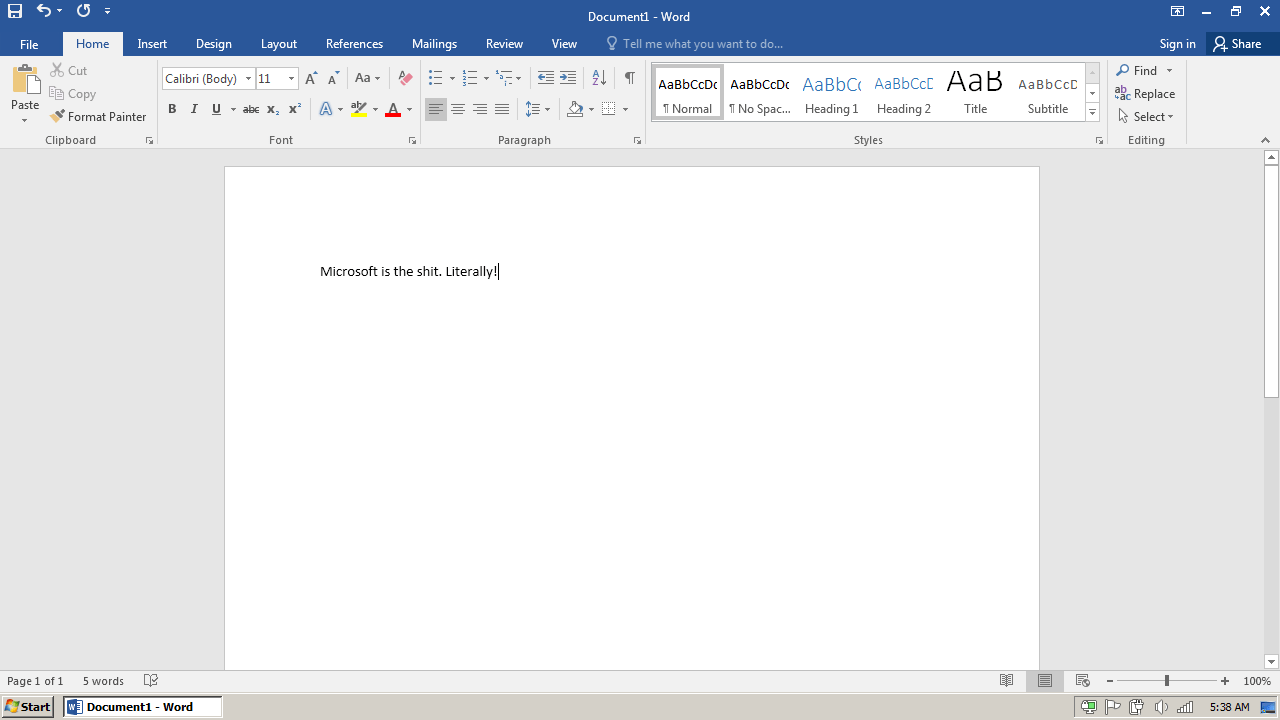
Office 2016 is the latest version that is supported on Windows 7, so download and install it. Everything works as expected, quick and snappy.
Kiwix
Last version of Kiwix that works on a 32bit Windows 7 install is Kiwix 0.9. Don’t bother with the KiwixJS Electron wrapper, it’s not working, you want the old Kiwix 0.9, the XUL wrapper. Download old ZIMs from the Web Archive, unless you like the new propaganda-filled Wikipedia.
Others
- You can install Emacs 27 from here (it’s the last version built with 32bit support).
- If you need the latest OpenSSL libraries and header files, download the Win32 OpenSSL v3.3.1 from this website. Those are useful if you’re using QT 5.14.2, because all newer versions of QT only come with x64 build of OpenSSL.
Development
JetBrains IDE
JetBrains IDEs last version with 32bit support is the 2021.1 one, so make sure you download it and never upgrade. As an extra perk, this version can have the trial extended indefinitely, so there’s that.
- CLion 2021.1.3
- DataGrip 2021.1.3
- GoLand 2021.1.3
- PhpStorm 2021.1.4
- PyCharm 2021.1.3
- RubyMine 2021.1.3
- WebStorm 2021.1.3
You’ll need to add some VM options to your bin/<IDE>.exe.vmoptions file, where <IDE> can be clion, webstorm, phpstorm or whatever JetBrains IDE you are using.
--add-opens=java.base/java.lang=ALL-UNNAMED
--add-opens=java.base/java.util=ALL-UNNAMED
--add-opens=java.desktop/java.awt=ALL-UNNAMED
--add-opens=java.desktop/java.awt.event=ALL-UNNAMED
--add-opens=java.desktop/java.awt.peer=ALL-UNNAMED
--add-opens=java.desktop/javax.swing=ALL-UNNAMED
--add-opens=java.desktop/javax.swing.plaf.basic=ALL-UNNAMED
--add-opens=java.desktop/javax.swing.text.html=ALL-UNNAMED
--add-opens=java.desktop/sun.awt=ALL-UNNAMED
--add-opens=java.desktop/sun.awt.X11=ALL-UNNAMED
--add-opens=java.desktop/sun.font=ALL-UNNAMED
--add-opens=java.desktop/sun.swing=ALL-UNNAMED
--add-exports=java.desktop/sun.awt.X11=ALL-UNNAMED
--add-exports=java.desktop/sun.awt.datatransfer=ALL-UNNAMED
--add-exports=java.desktop/sun.awt.image=ALL-UNNAMED
--add-exports=java.desktop/sun.font=ALL-UNNAMED
Resetting the IDEs trial status can be done with a simple script (that can be ran when the trial expires):
#!/bin/sh

rm -r ~/.config/JetBains/*/eval/*
sed -i 's/<property name="evlsprt.*>//' ~/.config/JetBrains/*/options/other.xml
Won’t run fast but they are usable. If you like the IDEs buy them, but it’s not worth if you’re using an expired version from several years ago.
Borland Delphi 7
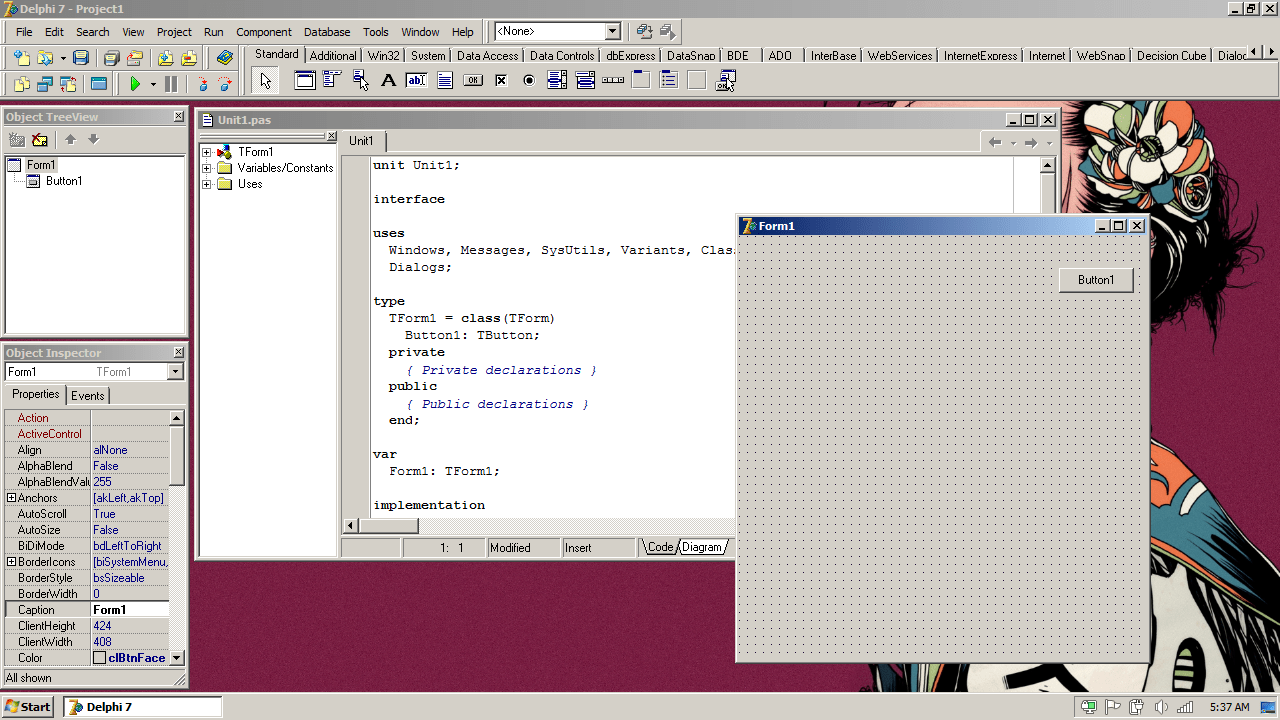
What is a Windows 7 retro machine without some developer tools? No Microsoft Visual Studio (it can be installed but I severely dislike Visual Basic), but Borland Delphi? Yespls.
Download the archive from here, extract it and mount the ISO file using UltraISO. Make sure you read the text file inside the archive, it has the activation data, and you will need to replace dent.slip inside the directory where you installed Delphi, before you run Delphi for the first time.
Also, you will need to allow the users of the laptop to modify the contents of the main Delphi directory (in this case C:\Program Files\Borland\Delphi7 unless you installed in a different directory), so right click the specified directory in Windows Explorer, choose Properties, go to Permissions and give Full Control access to your user.
Starting Delphi after installing will display a “Program Compatibility Assistant” window that will warn you that “This program has compatibility issues” but you can check the “Don’t show this message again” checkbox and click the “Run program” button. It will only bug you once.
As a RECOMMENDED alternative, install a more modern Pascal IDE, like Lazarus and you can import Delphi projects.
Visual Studio
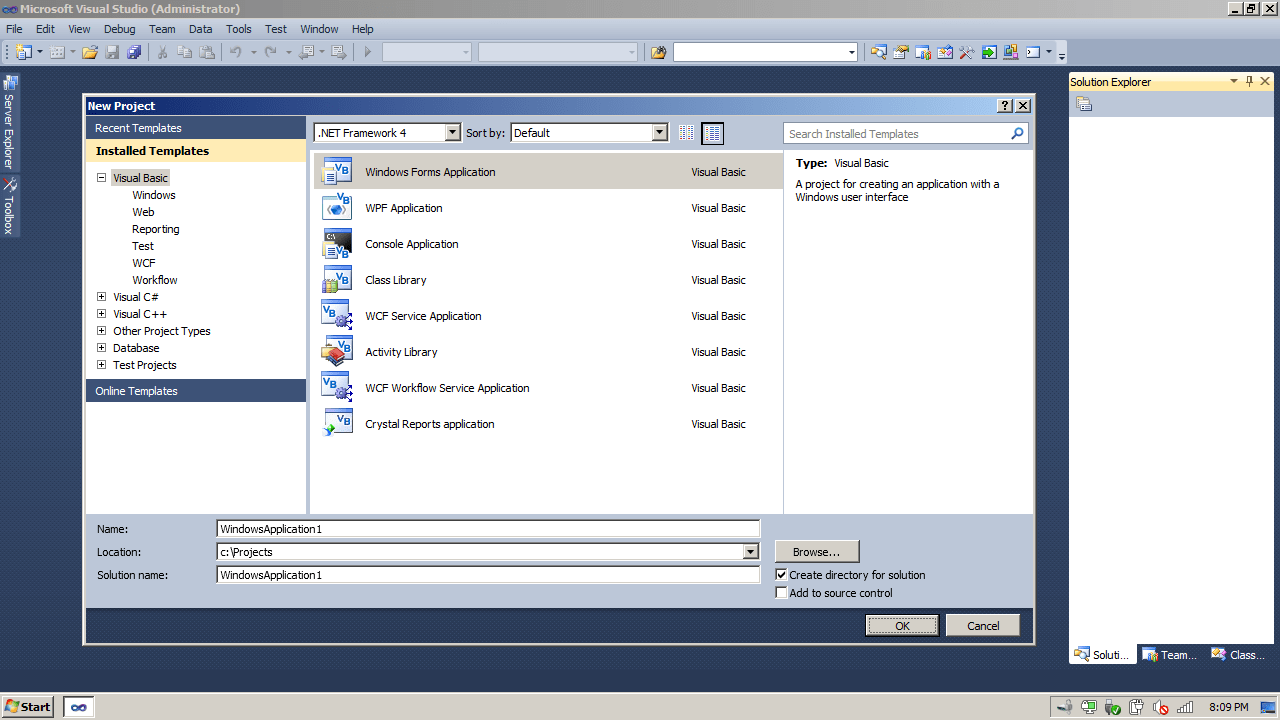
If you need Microsoft’s Visual Studio for some reason I cannot grasp right now, you can install any version before 2019, included. Visual Studio 2022 doesn’t have support for Windows 7 anymore, so that’s a no-no. You can download the old versions of Visual Studio from Microsoft’s website (but you will need a MSDN subscription), you can use a trusted torrent or the Internet Archive. If you want to install Visual Studio 2019, make sure you read the system requirements (the 2GB of RAM might be a stop-gap, the Booklet only has 1GB). The 2015 version might be better suited for the retrobook.
I installed Visual Studio 2010 and it works perfectly and speedy.
IDA Pro
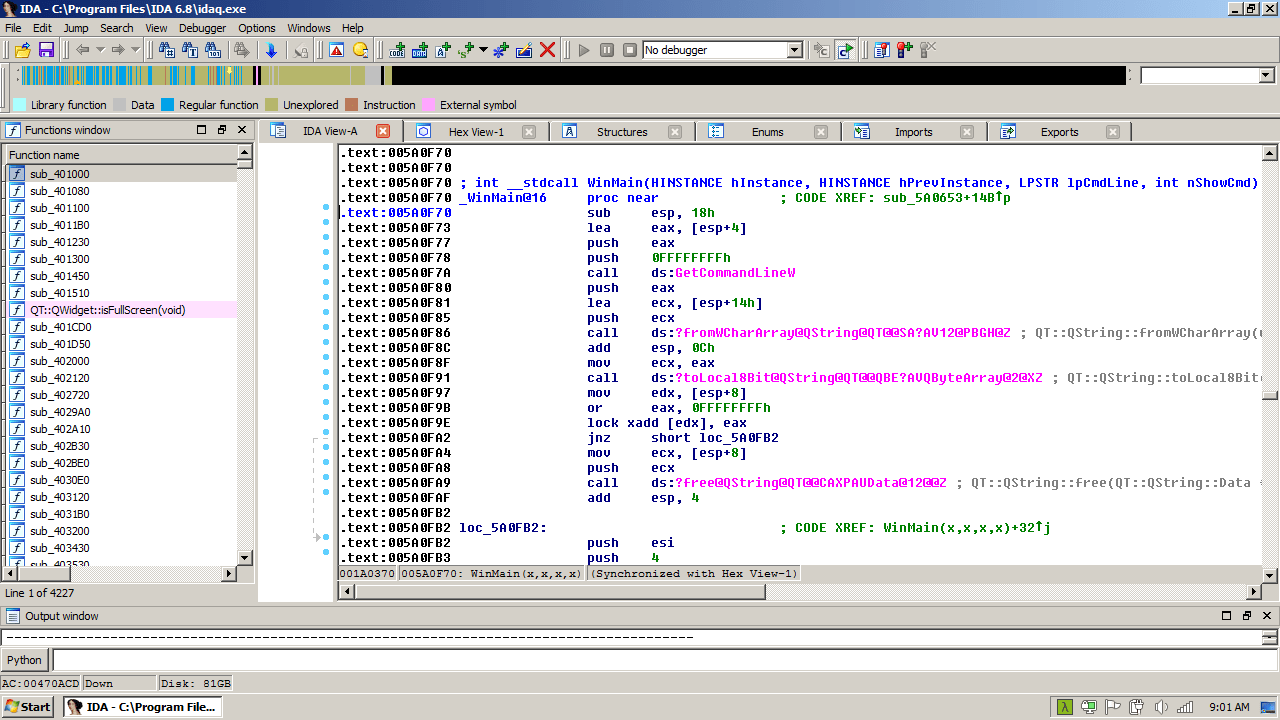
Last version of Hex Rays IDA Pro that works on a 32bit architecture is 6.8, so if you need to disassemble and/or debug binary code you should definitely get that version. Beware of the cracked versions.
IDA Pro 6.8 works snappy and fast on the Booklet, and let’s be honest, it’s not like any of the alternatives can compare to IDA Pro.
Cygwin
Cygwin is a Unix-like environment and command-line interface for Windows, last version that works on Windows 7 32bit is 2.923, so download and run it from Command Prompt with the -X option (skips the lookup of the security signature, since we’re not using the default packages).
When prompted by the setup, enter http://ctm.crouchingtigerhiddenfruitbat.org/pub/cygwin/circa/2022/11/23/063457 as the User URL, click the Add button to add it to the Available Download Sites and proceed to package selection screen. Save the setup file somwhere on your machine since you’ll need it if you want to install other packages.
You might also want to install apt-cyg from its repo.
lynx -source rawgit.com/transcode-open/apt-cyg/master/apt-cyg > apt-cyg
install apt-cyg /bin
Msys2
As an alternative to Cygwin you can install Msys2 by downloading the latest archive and extracting it in C:\msys32. Don’t download the installer, it’s no longer working on Windows 7.
You can easily integrate Msys2 into Cmder by creating three new tasks (name them Msys2, Mingw64 and Mingw32) and filling the Command field with the following lines respectively:
set MSYSTEM=MSYS & cmd /c "%MSYS2_ROOT%\usr\bin\bash --login -i" -new_console:d:%USERPROFILE%
set MSYSTEM=MINGW64 & cmd /c "%MSYS2_ROOT%\usr\bin\bash --login -i" -new_console:d:%USERPROFILE%
set MSYSTEM=MINGW32 & cmd /c "%MSYS2_ROOT%\usr\bin\bash --login -i" -new_console:d:%USERPROFILE%
Don’t forget to set MSYS2_ROOT to C:\msys32 in your Windows environment variables.
Others
If you need Java you can install the 32bit version but remember to disable those plugins from your favorite web browser.
NodeJS can be installed too, download the 12.22.7 installer and run it. After it’s installed, download the 18.18.2 zip archive and extract it somewhere. Go to the directory where 12.22.7 installed (usually C:\Program Files\nodejs) and remove all the files and directories inside, and copy the files and directories extracted from the 18.18.2 archive. Add export NODE_SKIP_PLATFORM_CHECK=1 to your .bashrc or .zshrc. Update npm by issueing npm install npm@latest -g in your favorite console.
Virtualization
You can use either Oracle Virtualbox version 5.2.44 (last version for 32-bit OS), Microsoft Virtual PC 2007 or VMware Workstation 7.1.6.
Security
You should have full-disk encryption enabled on your machine, preferably using VeraCrypt and not Microsoft BitLocker.
Basically make sure you run a firewall in front of your netbook, enable Windows Firewall on your netbook, block dangerous ports, disable all the services that aren’t needed or used, disable insecure SMB protocols, and do not download files that you are not sure what they actually are. Control the places you visit and the stuff you are downloading. And never download and execute “random” executable files that you found on shady sites, proper security mandates that you execute them in a virtual machine on another computer, and once you’re absolutely sure it’s not malware, you install/run them on your Windows 7 machine. Especially if you don’t have an antivirus installed.
Inspect the processes in Task Manager and look for fishy items. That nVidiaGPU.exe process on your system that doesn’t have an nVidia GPU? Especially if it launches from a temporary directory? Ding dong, we have malware.
Ports that should be blocked:
- 111 (Remote Procedure Call)
- 135 (Microsoft End Point Mapper)
- 138 (NetBIOS Datagram Service)
- 139 (Server Message Block (SMB))
- 161 (Simple Network Management Protocol)
- 389 (Lightweight Directory Access Protocol)
- 445 (Microsoft-DS SMB file sharing)
- 3389 (Remote Desktop Protocol)
Services that can be disabled safely:
- Desktop Window Manager Session Manager
- Distributed Link Tracking Client
- Function Discovery Provider Host
- Function Discovery Resource Publication
- HomeGroup Listener, HomeGroup Provider
- Offline Files
- Remote Registry
- Shell Hardware Detection
- Volume Shadow Copy
- WebClient
- Windows Backup
- Windows Biometric Service
Services that can be disabled if not used:
- Bluetooth Support Service
- Fax
- Group Policy Client
- Indexing Service
- Print Spooler
- Telephony
- Themes
- Windows Image Acquisition (WIA)
- Windows Search
- Windows Time
Disable insecure SMB protocols to protect your computer against EternalBlue attack:
C:\Windows\System32> sc config lanmanworkstation depend= bowser/mrxsmb20/nsi
C:\Windows\System32> sc config mrxsmb10 start= disabled
C:\Windows\System32> sc config lanmanworkstation depend= bowser/mrxsmb10/nsi
C:\Windows\System32> sc config mrxsmb20 start= disabled
Consider turning off Internet access when you don’t need it.
Standard user accounts must not be granted elevated privileges. Enabling Windows Installer to elevate privileges when installing applications can allow malicious persons and applications to gain full control of a system.
HKEY_LOCAL_MACHINE\Software\Policies\Microsoft\Windows\Installer\
Value Name: AlwaysInstallElevated
Type: REG_DWORD
Value: 0
The Kerberos v5 authentication protocol is the default for authentication for domains. NTLM which is less secure, is retained in later Windows versions for compatibility with standalone systems as well as applications that may still use it. Earlier versions of the LM/NTLM protocol are particularly vulnerable to attack and must be prevented.
HKEY_LOCAL_MACHINE\SYSTEM\CurrentControlSet\Control\Lsa\
Value Name: LmCompatibilityLevel
Value Type: REG_DWORD
Value: 5
Autoplay begins reading from a drive as soon as you insert media in the drive. As a result, the setup file of programs and the music on audio media starts immediately. By default, autoplay is disabled on removable drives, such as the floppy disk drive (but not the CD-ROM drive) and on network drives. If you enable this policy, you can also disable autoplay on all drives.
HKEY_LOCAL_MACHINE\SOFTWARE\Microsoft\Windows\CurrentVersion\policies\Explorer\
Value Name: NoDriveTypeAutorun
Type: REG_DWORD
Value: 0x000000ff (255)
Allowing anonymous logon users (null session connections) to list all account names and enumerate all shared resources can provide a map of potential points to attack the system.
HKEY_LOCAL_MACHINE\SYSTEM\CurrentControlSet\Control\Lsa\
Value Name: RestrictAnonymous
Value Type: REG_DWORD
Value: 1
Allowing anonymous logon users (null session connections) to list all account names, thus providing a list of potential points to attack the system.
HKEY_LOCAL_MACHINE\SYSTEM\CurrentControlSet\Control\Lsa\
Value Name: RestrictAnonymousSAM
Value Type: REG_DWORD
Value: 1
Allowing autorun commands to execute may introduce malicious code to a system. Configuring this setting prevents autorun commands from executing.
HKEY_LOCAL_MACHINE\SOFTWARE\Microsoft\Windows\CurrentVersion\Policies\Explorer\
Value Name: NoAutorun
Type: REG_DWORD
Value: 1
Solicited Remote Assistance should not be allowed. This setting controls whether or not solicited remote assistance is allowed from this computer. Solicited assistance is help that is specifically requested by the user. This is a Category 1 finding because it may allow unauthorized parties access to the resources on the computer.
HKEY_LOCAL_MACHINE\Software\Policies\Microsoft\Windows NT\Terminal Services\
Value Name: fAllowToGetHelp
Type: REG_DWORD
Value: 0
Privacy
Telemetry
Windows operating system is leaking more than a one-legged hooker in Singapore (so I’ve heard) but there are ways to stop some of the leaking (unlike the case of the aforementioned hooker).
Delete telemetry services:
C:\Windows\System32> sc stop RemoteRegistry
C:\Windows\System32> sc delete RemoteRegistry
C:\Windows\System32> sc stop DiagTrack
C:\Windows\System32> sc delete DiagTrack
C:\Windows\System32> sc stop dmwappushservice
C:\Windows\System32> sc delete dmwappushservice
Delete telemetry tasks:
C:\Windows\System32> schtasks /delete /tn "\Microsoft\Windows\Application Experience\AitAgent" /f
C:\Windows\System32> schtasks /delete /tn "\Microsoft\Windows\Application Experience\Microsoft Compatibility Appraiser" /f
C:\Windows\System32> schtasks /delete /tn "\Microsoft\Windows\Application Experience\ProgramDataUpdater" /f
C:\Windows\System32> schtasks /delete /tn "\Microsoft\Windows\Autochk\Proxy" /f
C:\Windows\System32> schtasks /delete /tn "\Microsoft\Windows\CloudExperienceHost\CreateObjectTask" /f
C:\Windows\System32> schtasks /delete /tn "\Microsoft\Windows\Customer Experience Improvement Program\Consolidator" /f
C:\Windows\System32> schtasks /delete /tn "\Microsoft\Windows\Customer Experience Improvement Program\KernelCeipTask" /f
C:\Windows\System32> schtasks /delete /tn "\Microsoft\Windows\Customer Experience Improvement Program\UsbCeip" /f
C:\Windows\System32> schtasks /delete /tn "\Microsoft\Windows\DiskDiagnostic\Microsoft-Windows-DiskDiagnosticDataCollector" /f
C:\Windows\System32> schtasks /delete /tn "\Microsoft\Windows\IME\SQM data sender" /f
C:\Windows\System32> schtasks /delete /tn "\Microsoft\Windows\Maintenance\WinSAT" /f
C:\Windows\System32> schtasks /delete /tn "\Microsoft\Windows\NetTrace\GatherNetworkInfo" /f
C:\Windows\System32> schtasks /delete /tn "\Microsoft\Windows\Shell\FamilySafetyMonitor" /f
C:\Windows\System32> schtasks /delete /tn "\Microsoft\Windows\Shell\FamilySafetyRefresh" /f
More cleaning up:
C:\Windows\System32> takeown /f "C:\Windows\System32\EOSNotify.exe"
C:\Windows\System32> icacls "C:\Windows\System32\EOSNotify.exe" /grant administrators:F
C:\Windows\System32> icacls "C:\Windows\System32\EOSNotify.exe" /inheritance:r /deny SYSTEM:F /grant Administrators:F
C:\Windows\System32> del /f "C:\Windows\System32\EOSNotify.exe"
C:\Windows\System32> takeown /f "C:\ProgramData\Microsoft\Diagnosis\ETLLogs\AutoLogger\AutoLogger-Diagtrack-Listener.etl"
C:\Windows\System32> icacls "C:\ProgramData\Microsoft\Diagnosis\ETLLogs\AutoLogger\AutoLogger-Diagtrack-Listener.etl" /grant administrators:F
C:\Windows\System32> icacls "C:\ProgramData\Microsoft\Diagnosis\ETLLogs\AutoLogger\AutoLogger-Diagtrack-Listener.etl" /inheritance:r /deny SYSTEM:F /grant Administrators:F
C:\Windows\System32> echo "" > C:\ProgramData\Microsoft\Diagnosis\ETLLogs\AutoLogger\AutoLogger-Diagtrack-Listener.etl
Place the following Microsoft domains into your hosts file (c:\windows\system32\drivers\etc\hosts):
click for a list
0.0.0.0 vortex.data.microsoft.com
0.0.0.0 vortex-win.data.microsoft.com
0.0.0.0 telecommand.telemetry.microsoft.com
0.0.0.0 telecommand.telemetry.microsoft.com.nsatc.net
0.0.0.0 oca.telemetry.microsoft.com
0.0.0.0 oca.telemetry.microsoft.com.nsatc.net
0.0.0.0 sqm.telemetry.microsoft.com
0.0.0.0 sqm.telemetry.microsoft.com.nsatc.net
0.0.0.0 watson.telemetry.microsoft.com
0.0.0.0 watson.telemetry.microsoft.com.nsatc.net
0.0.0.0 redir.metaservices.microsoft.com
0.0.0.0 choice.microsoft.com
0.0.0.0 choice.microsoft.com.nsatc.net
0.0.0.0 df.telemetry.microsoft.com
0.0.0.0 reports.wes.df.telemetry.microsoft.com
0.0.0.0 wes.df.telemetry.microsoft.com
0.0.0.0 services.wes.df.telemetry.microsoft.com
0.0.0.0 sqm.df.telemetry.microsoft.com
0.0.0.0 telemetry.microsoft.com
0.0.0.0 watson.ppe.telemetry.microsoft.com
0.0.0.0 telemetry.appex.bing.net
0.0.0.0 telemetry.urs.microsoft.com
0.0.0.0 telemetry.appex.bing.net:443
0.0.0.0 settings-sandbox.data.microsoft.com
0.0.0.0 vortex-sandbox.data.microsoft.com
0.0.0.0 survey.watson.microsoft.com
0.0.0.0 watson.live.com
0.0.0.0 watson.microsoft.com
0.0.0.0 statsfe2.ws.microsoft.com
0.0.0.0 corpext.msitadfs.glbdns2.microsoft.com
0.0.0.0 compatexchange.cloudapp.net
0.0.0.0 cs1.wpc.v0cdn.net
0.0.0.0 a-0001.a-msedge.net
0.0.0.0 statsfe2.update.microsoft.com.akadns.net
0.0.0.0 sls.update.microsoft.com.akadns.net
0.0.0.0 fe2.update.microsoft.com.akadns.net
0.0.0.0 65.55.108.23
0.0.0.0 65.39.117.230
0.0.0.0 23.218.212.69
0.0.0.0 104.41.219.140
0.0.0.0 134.170.30.202
0.0.0.0 137.116.81.24
0.0.0.0 diagnostics.support.microsoft.com
0.0.0.0 corp.sts.microsoft.com
0.0.0.0 statsfe1.ws.microsoft.com
0.0.0.0 pre.footprintpredict.com
0.0.0.0 204.79.197.200
0.0.0.0 i1.services.social.microsoft.com
0.0.0.0 i1.services.social.microsoft.com.nsatc.net
0.0.0.0 feedback.windows.com
0.0.0.0 feedback.microsoft-hohm.com
0.0.0.0 feedback.search.microsoft.com
0.0.0.0 s0.2mdn.net
0.0.0.0 view.atdmt.com
0.0.0.0 2.22.61.43
0.0.0.0 2.22.61.66
0.0.0.0 157.56.106.189
0.0.0.0 65.52.108.33
0.0.0.0 64.4.54.254
0.0.0.0 onesettings-bn2.metron.live.com.nsatc.net
0.0.0.0 onesettings-cy2.metron.live.com.nsatc.net
0.0.0.0 onesettings-db5.metron.live.com.nsatc.net
0.0.0.0 onesettings-hk2.metron.live.com.nsatc.net
0.0.0.0 settings.data.glbdns2.microsoft.com
0.0.0.0 telecommand.telemetry.microsoft.com.nsatc.net
0.0.0.0 v10.vortex-win.data.microsoft.com
0.0.0.0 v10.vortex-win.data.metron.live.com.nsatc.net
0.0.0.0 vortex.data.glbdns2.microsoft.com
0.0.0.0 vortex.data.metron.live.com.nsatc.net
0.0.0.0 vortex-bn2.metron.live.com.nsatc.net
0.0.0.0 vortex-cy2.metron.live.com.nsatc.net
0.0.0.0 vortex-db5.metron.live.com.nsatc.net
0.0.0.0 vortex-hk2.metron.live.com.nsatc.net
0.0.0.0 vortex-win.data.metron.live.com.nsatc.net
0.0.0.0 a-0001.dc-msedge.net
0.0.0.0 a-0002.a-msedge.net
0.0.0.0 a-0003.a-msedge.net
0.0.0.0 a-0003.dc-msedge.net
0.0.0.0 a-0004.a-msedge.net
0.0.0.0 a-0005.a-msedge.net
0.0.0.0 a-0006.a-msedge.net
0.0.0.0 a-0007.a-msedge.net
0.0.0.0 a-0008.a-msedge.net
0.0.0.0 a-0009.a-msedge.net
0.0.0.0 a-0010.a-msedge.net
0.0.0.0 a-0011.a-msedge.net
0.0.0.0 a-0012.a-msedge.net
0.0.0.0 a-msedge.net
0.0.0.0 a.ads1.msn.com
0.0.0.0 a.ads2.msads.net
0.0.0.0 a.ads2.msn.com
0.0.0.0 a.rad.msn.com
0.0.0.0 ac3.msn.com
0.0.0.0 activity.windows.com
0.0.0.0 adnexus.net
0.0.0.0 adnxs.com
0.0.0.0 adl.windows.com
0.0.0.0 ads.msn.com
0.0.0.0 ads1.msads.net
0.0.0.0 ads1.msn.com
0.0.0.0 aidps.atdmt.com
0.0.0.0 aka-cdn-ns.adtech.de
0.0.0.0 array101-prod.do.dsp.mp.microsoft.com
0.0.0.0 array102-prod.do.dsp.mp.microsoft.com
0.0.0.0 array103-prod.do.dsp.mp.microsoft.com
0.0.0.0 array104-prod.do.dsp.mp.microsoft.com
0.0.0.0 array201-prod.do.dsp.mp.microsoft.com
0.0.0.0 array202-prod.do.dsp.mp.microsoft.com
0.0.0.0 array203-prod.do.dsp.mp.microsoft.com
0.0.0.0 array204-prod.do.dsp.mp.microsoft.com
0.0.0.0 array401-prod.do.dsp.mp.microsoft.com
0.0.0.0 array402-prod.do.dsp.mp.microsoft.com
0.0.0.0 array403-prod.do.dsp.mp.microsoft.com
0.0.0.0 array404-prod.do.dsp.mp.microsoft.com
0.0.0.0 array405-prod.do.dsp.mp.microsoft.com
0.0.0.0 array406-prod.do.dsp.mp.microsoft.com
0.0.0.0 array407-prod.do.dsp.mp.microsoft.com
0.0.0.0 array408-prod.do.dsp.mp.microsoft.com
0.0.0.0 b.ads1.msn.com
0.0.0.0 b.ads2.msads.net
0.0.0.0 b.rad.msn.com
0.0.0.0 bingads.microsoft.com
0.0.0.0 bl3301-a.1drv.com
0.0.0.0 bl3301-c.1drv.com
0.0.0.0 bl3301-g.1drv.com
0.0.0.0 bn2b-cor001.api.p001.1drv.com
0.0.0.0 bn2b-cor002.api.p001.1drv.com
0.0.0.0 bn2b-cor003.api.p001.1drv.com
0.0.0.0 bn2b-cor004.api.p001.1drv.com
0.0.0.0 bn2wns1.wns.windows.com
0.0.0.0 bn3p-cor001.api.p001.1drv.com
0.0.0.0 bn3sch020010558.wns.windows.com
0.0.0.0 bn3sch020010560.wns.windows.com
0.0.0.0 bn3sch020010618.wns.windows.com
0.0.0.0 bn3sch020010629.wns.windows.com
0.0.0.0 bn3sch020010631.wns.windows.com
0.0.0.0 bn3sch020010635.wns.windows.com
0.0.0.0 bn3sch020010636.wns.windows.com
0.0.0.0 bn3sch020010650.wns.windows.com
0.0.0.0 bn3sch020011727.wns.windows.com
0.0.0.0 bn3sch020012850.wns.windows.com
0.0.0.0 bn3sch020020322.wns.windows.com
0.0.0.0 bn3sch020020749.wns.windows.com
0.0.0.0 bn3sch020022328.wns.windows.com
0.0.0.0 bn3sch020022335.wns.windows.com
0.0.0.0 bn3sch020022361.wns.windows.com
0.0.0.0 bn4sch101120814.wns.windows.com
0.0.0.0 bn4sch101120818.wns.windows.com
0.0.0.0 bn4sch101120911.wns.windows.com
0.0.0.0 bn4sch101120913.wns.windows.com
0.0.0.0 bn4sch101121019.wns.windows.com
0.0.0.0 bn4sch101121109.wns.windows.com
0.0.0.0 bn4sch101121118.wns.windows.com
0.0.0.0 bn4sch101121223.wns.windows.com
0.0.0.0 bn4sch101121407.wns.windows.com
0.0.0.0 bn4sch101121618.wns.windows.com
0.0.0.0 bn4sch101121704.wns.windows.com
0.0.0.0 bn4sch101121709.wns.windows.com
0.0.0.0 bn4sch101121714.wns.windows.com
0.0.0.0 bn4sch101121908.wns.windows.com
0.0.0.0 bn4sch101122117.wns.windows.com
0.0.0.0 bn4sch101122310.wns.windows.com
0.0.0.0 bn4sch101122312.wns.windows.com
0.0.0.0 bn4sch101122421.wns.windows.com
0.0.0.0 bn4sch101123108.wns.windows.com
0.0.0.0 bn4sch101123110.wns.windows.com
0.0.0.0 bn4sch101123202.wns.windows.com
0.0.0.0 bn4sch102110124.wns.windows.com
0.0.0.0 bs.serving-sys.com
0.0.0.0 by3301-a.1drv.com
0.0.0.0 by3301-c.1drv.com
0.0.0.0 by3301-e.1drv.com
0.0.0.0 c-0001.dc-msedge.net
0.0.0.0 c.atdmt.com
0.0.0.0 c.msn.com
0.0.0.0 cache.datamart.windows.com
0.0.0.0 cdn.atdmt.com
0.0.0.0 cds10.stn.llnw.net
0.0.0.0 cds1203.lon.llnw.net
0.0.0.0 cds1204.lon.llnw.net
0.0.0.0 cds1209.lon.llnw.net
0.0.0.0 cds1219.lon.llnw.net
0.0.0.0 cds1228.lon.llnw.net
0.0.0.0 cds1244.lon.llnw.net
0.0.0.0 cds1257.lon.llnw.net
0.0.0.0 cds1265.lon.llnw.net
0.0.0.0 cds1269.lon.llnw.net
0.0.0.0 cds1273.lon.llnw.net
0.0.0.0 cds1285.lon.llnw.net
0.0.0.0 cds1287.lon.llnw.net
0.0.0.0 cds1289.lon.llnw.net
0.0.0.0 cds1293.lon.llnw.net
0.0.0.0 cds1307.lon.llnw.net
0.0.0.0 cds1310.lon.llnw.net
0.0.0.0 cds1325.lon.llnw.net
0.0.0.0 cds1327.lon.llnw.net
0.0.0.0 cds177.dus.llnw.net
0.0.0.0 cds20005.stn.llnw.net
0.0.0.0 cds20404.lcy.llnw.net
0.0.0.0 cds20411.lcy.llnw.net
0.0.0.0 cds20415.lcy.llnw.net
0.0.0.0 cds20416.lcy.llnw.net
0.0.0.0 cds20417.lcy.llnw.net
0.0.0.0 cds20424.lcy.llnw.net
0.0.0.0 cds20425.lcy.llnw.net
0.0.0.0 cds20431.lcy.llnw.net
0.0.0.0 cds20435.lcy.llnw.net
0.0.0.0 cds20440.lcy.llnw.net
0.0.0.0 cds20443.lcy.llnw.net
0.0.0.0 cds20445.lcy.llnw.net
0.0.0.0 cds20450.lcy.llnw.net
0.0.0.0 cds20452.lcy.llnw.net
0.0.0.0 cds20457.lcy.llnw.net
0.0.0.0 cds20461.lcy.llnw.net
0.0.0.0 cds20469.lcy.llnw.net
0.0.0.0 cds20475.lcy.llnw.net
0.0.0.0 cds20482.lcy.llnw.net
0.0.0.0 cds20485.lcy.llnw.net
0.0.0.0 cds20495.lcy.llnw.net
0.0.0.0 cds21205.lon.llnw.net
0.0.0.0 cds21207.lon.llnw.net
0.0.0.0 cds21225.lon.llnw.net
0.0.0.0 cds21229.lon.llnw.net
0.0.0.0 cds21233.lon.llnw.net
0.0.0.0 cds21238.lon.llnw.net
0.0.0.0 cds21244.lon.llnw.net
0.0.0.0 cds21249.lon.llnw.net
0.0.0.0 cds21256.lon.llnw.net
0.0.0.0 cds21257.lon.llnw.net
0.0.0.0 cds21258.lon.llnw.net
0.0.0.0 cds21261.lon.llnw.net
0.0.0.0 cds21267.lon.llnw.net
0.0.0.0 cds21278.lon.llnw.net
0.0.0.0 cds21281.lon.llnw.net
0.0.0.0 cds21293.lon.llnw.net
0.0.0.0 cds21309.lon.llnw.net
0.0.0.0 cds21313.lon.llnw.net
0.0.0.0 cds21321.lon.llnw.net
0.0.0.0 cds299.lcy.llnw.net
0.0.0.0 cds308.lcy.llnw.net
0.0.0.0 cds30027.stn.llnw.net
0.0.0.0 cds310.lcy.llnw.net
0.0.0.0 cds38.ory.llnw.net
0.0.0.0 cds54.ory.llnw.net
0.0.0.0 cds405.lcy.llnw.net
0.0.0.0 cds406.lcy.llnw.net
0.0.0.0 cds407.fra.llnw.net
0.0.0.0 cds416.lcy.llnw.net
0.0.0.0 cds421.lcy.llnw.net
0.0.0.0 cds422.lcy.llnw.net
0.0.0.0 cds425.lcy.llnw.net
0.0.0.0 cds426.lcy.llnw.net
0.0.0.0 cds447.lcy.llnw.net
0.0.0.0 cds458.lcy.llnw.net
0.0.0.0 cds459.lcy.llnw.net
0.0.0.0 cds461.lcy.llnw.net
0.0.0.0 cds468.lcy.llnw.net
0.0.0.0 cds469.lcy.llnw.net
0.0.0.0 cds471.lcy.llnw.net
0.0.0.0 cds483.lcy.llnw.net
0.0.0.0 cds484.lcy.llnw.net
0.0.0.0 cds489.lcy.llnw.net
0.0.0.0 cds493.lcy.llnw.net
0.0.0.0 cds494.lcy.llnw.net
0.0.0.0 cds812.lon.llnw.net
0.0.0.0 cds815.lon.llnw.net
0.0.0.0 cds818.lon.llnw.net
0.0.0.0 cds832.lon.llnw.net
0.0.0.0 cds836.lon.llnw.net
0.0.0.0 cds840.lon.llnw.net
0.0.0.0 cds843.lon.llnw.net
0.0.0.0 cds857.lon.llnw.net
0.0.0.0 cds868.lon.llnw.net
0.0.0.0 cds869.lon.llnw.net
0.0.0.0 ch1-cor001.api.p001.1drv.com
0.0.0.0 ch1-cor002.api.p001.1drv.com
0.0.0.0 ch3301-c.1drv.com
0.0.0.0 ch3301-e.1drv.com
0.0.0.0 ch3301-g.1drv.com
0.0.0.0 ch3302-c.1drv.com
0.0.0.0 ch3302-e.1drv.com
0.0.0.0 compatexchange1.trafficmanager.net
0.0.0.0 continuum.dds.microsoft.com
0.0.0.0 cy2.settings.data.microsoft.com.akadns.net
0.0.0.0 db5.settings.data.microsoft.com.akadns.net
0.0.0.0 dev.virtualearth.net
0.0.0.0 ec.atdmt.com
0.0.0.0 ecn.dev.virtualearth.net
0.0.0.0 eu.vortex.data.microsoft.com
0.0.0.0 flex.msn.com
0.0.0.0 fs.microsoft.com
0.0.0.0 g.msn.com
0.0.0.0 geo.settings.data.microsoft.com.akadns.net
0.0.0.0 geo-prod.do.dsp.mp.microsoft.com
0.0.0.0 geover-prod.do.dsp.mp.microsoft.com
0.0.0.0 h1.msn.com
0.0.0.0 h2.msn.com
0.0.0.0 hk2.wns.windows.com
0.0.0.0 hk2sch130020721.wns.windows.com
0.0.0.0 hk2sch130020723.wns.windows.com
0.0.0.0 hk2sch130020726.wns.windows.com
0.0.0.0 hk2sch130020729.wns.windows.com
0.0.0.0 hk2sch130020732.wns.windows.com
0.0.0.0 hk2sch130020824.wns.windows.com
0.0.0.0 hk2sch130020843.wns.windows.com
0.0.0.0 hk2sch130020851.wns.windows.com
0.0.0.0 hk2sch130020854.wns.windows.com
0.0.0.0 hk2sch130020855.wns.windows.com
0.0.0.0 hk2sch130020924.wns.windows.com
0.0.0.0 hk2sch130020936.wns.windows.com
0.0.0.0 hk2sch130020940.wns.windows.com
0.0.0.0 hk2sch130020956.wns.windows.com
0.0.0.0 hk2sch130020958.wns.windows.com
0.0.0.0 hk2sch130020961.wns.windows.com
0.0.0.0 hk2sch130021017.wns.windows.com
0.0.0.0 hk2sch130021029.wns.windows.com
0.0.0.0 hk2sch130021035.wns.windows.com
0.0.0.0 hk2sch130021137.wns.windows.com
0.0.0.0 hk2sch130021142.wns.windows.com
0.0.0.0 hk2sch130021153.wns.windows.com
0.0.0.0 hk2sch130021217.wns.windows.com
0.0.0.0 hk2sch130021246.wns.windows.com
0.0.0.0 hk2sch130021249.wns.windows.com
0.0.0.0 hk2sch130021260.wns.windows.com
0.0.0.0 hk2sch130021264.wns.windows.com
0.0.0.0 hk2sch130021322.wns.windows.com
0.0.0.0 hk2sch130021323.wns.windows.com
0.0.0.0 hk2sch130021329.wns.windows.com
0.0.0.0 hk2sch130021334.wns.windows.com
0.0.0.0 hk2sch130021360.wns.windows.com
0.0.0.0 hk2sch130021432.wns.windows.com
0.0.0.0 hk2sch130021433.wns.windows.com
0.0.0.0 hk2sch130021435.wns.windows.com
0.0.0.0 hk2sch130021437.wns.windows.com
0.0.0.0 hk2sch130021440.wns.windows.com
0.0.0.0 hk2sch130021450.wns.windows.com
0.0.0.0 hk2sch130021518.wns.windows.com
0.0.0.0 hk2sch130021523.wns.windows.com
0.0.0.0 hk2sch130021526.wns.windows.com
0.0.0.0 hk2sch130021527.wns.windows.com
0.0.0.0 hk2sch130021544.wns.windows.com
0.0.0.0 hk2sch130021554.wns.windows.com
0.0.0.0 hk2sch130021618.wns.windows.com
0.0.0.0 hk2sch130021634.wns.windows.com
0.0.0.0 hk2sch130021638.wns.windows.com
0.0.0.0 hk2sch130021646.wns.windows.com
0.0.0.0 hk2sch130021652.wns.windows.com
0.0.0.0 hk2sch130021654.wns.windows.com
0.0.0.0 hk2sch130021657.wns.windows.com
0.0.0.0 hk2sch130021723.wns.windows.com
0.0.0.0 hk2sch130021726.wns.windows.com
0.0.0.0 hk2sch130021727.wns.windows.com
0.0.0.0 hk2sch130021730.wns.windows.com
0.0.0.0 hk2sch130021731.wns.windows.com
0.0.0.0 hk2sch130021754.wns.windows.com
0.0.0.0 hk2sch130021829.wns.windows.com
0.0.0.0 hk2sch130021830.wns.windows.com
0.0.0.0 hk2sch130021833.wns.windows.com
0.0.0.0 hk2sch130021840.wns.windows.com
0.0.0.0 hk2sch130021842.wns.windows.com
0.0.0.0 hk2sch130021851.wns.windows.com
0.0.0.0 hk2sch130021852.wns.windows.com
0.0.0.0 hk2sch130021927.wns.windows.com
0.0.0.0 hk2sch130021928.wns.windows.com
0.0.0.0 hk2sch130021929.wns.windows.com
0.0.0.0 hk2sch130021958.wns.windows.com
0.0.0.0 hk2sch130022035.wns.windows.com
0.0.0.0 hk2sch130022041.wns.windows.com
0.0.0.0 hk2sch130022049.wns.windows.com
0.0.0.0 hk2sch130022135.wns.windows.com
0.0.0.0 hk2wns1.wns.windows.com
0.0.0.0 hk2wns1b.wns.windows.com
0.0.0.0 i-bl6p-cor001.api.p001.1drv.com
0.0.0.0 i-bl6p-cor002.api.p001.1drv.com
0.0.0.0 i-bn3p-cor001.api.p001.1drv.com
0.0.0.0 i-by3p-cor001.api.p001.1drv.com
0.0.0.0 i-by3p-cor002.api.p001.1drv.com
0.0.0.0 i-ch1-cor001.api.p001.1drv.com
0.0.0.0 i-ch1-cor002.api.p001.1drv.com
0.0.0.0 i-sn2-cor001.api.p001.1drv.com
0.0.0.0 i-sn2-cor002.api.p001.1drv.com
0.0.0.0 inference.location.live.net
0.0.0.0 lb1.www.ms.akadns.net
0.0.0.0 live.rads.msn.com
0.0.0.0 m.adnxs.com
0.0.0.0 mobile.pipe.aria.microsoft.com
0.0.0.0 msedge.net
0.0.0.0 msntest.serving-sys.com
0.0.0.0 nexus.officeapps.live.com
0.0.0.0 nexusrules.officeapps.live.com
0.0.0.0 preview.msn.com
0.0.0.0 rad.live.com
0.0.0.0 rad.msn.com
0.0.0.0 schemas.microsoft.akadns.net
0.0.0.0 secure.adnxs.com
0.0.0.0 secure.flashtalking.com
0.0.0.0 settings-win-ppe.data.microsoft.com
0.0.0.0 settings-win.data.microsoft.com
0.0.0.0 settings.data.microsoft.com
0.0.0.0 sn3301-c.1drv.com
0.0.0.0 sn3301-e.1drv.com
0.0.0.0 sn3301-g.1drv.com
0.0.0.0 share.microsoft.com
0.0.0.0 maps.windows.com
0.0.0.0 spynet2.microsoft.com
0.0.0.0 spynetalt.microsoft.com
0.0.0.0 spyneteurope.microsoft.akadns.net
0.0.0.0 ssw.live.com
0.0.0.0 storecatalogrevocation.storequality.microsoft.com
0.0.0.0 t0.ssl.ak.dynamic.tiles.virtualearth.net
0.0.0.0 t0.ssl.ak.tiles.virtualearth.net
0.0.0.0 tele.trafficmanager.net
0.0.0.0 teredo.ipv6.microsoft.com
0.0.0.0 test.activity.windows.com
0.0.0.0 tsfe.trafficshaping.dsp.mp.microsoft.com
0.0.0.0 version.hybrid.api.here.com
0.0.0.0 web.vortex.data.microsoft.com
0.0.0.0 win10.ipv6.microsoft.com
0.0.0.0 win1710.ipv6.microsoft.com
0.0.0.0 win8.ipv6.microsoft.com
0.0.0.0 www.msedge.net
0.0.0.0 alpha.telemetry.microsoft.com
0.0.0.0 apac1.notify.windows.com.akadns.net
0.0.0.0 api.cortana.ai
0.0.0.0 asimov-win.settings.data.microsoft.com.akadns.net
0.0.0.0 browser.events.data.microsoft.com
0.0.0.0 browser.pipe.aria.microsoft.com
0.0.0.0 cy2.vortex.data.microsoft.com.akadns.net
0.0.0.0 db5.settings-win.data.microsoft.com.akadns.net
0.0.0.0 db5.vortex.data.microsoft.com.akadns.net
0.0.0.0 db5-eap.settings-win.data.microsoft.com.akadns.net
0.0.0.0 eu.vortex-win.data.microsoft.com
0.0.0.0 eu-v10.events.data.microsoft.com
0.0.0.0 eu-v20.events.data.microsoft.com
0.0.0.0 events.data.microsoft.com
0.0.0.0 geo.settings-win.data.microsoft.com.akadns.net
0.0.0.0 geo.vortex.data.microsoft.com.akadns.net
0.0.0.0 hk2.settings.data.microsoft.com.akadns.net
0.0.0.0 i-sn3p-cor001.api.p001.1drv.com
0.0.0.0 ieonlinews.microsoft.com
0.0.0.0 ieonlinews.trafficmanager.net
0.0.0.0 mobile.events.data.microsoft.com
0.0.0.0 modern.watson.data.microsoft.com.akadns.net
0.0.0.0 onecollector.cloudapp.aria.akadns.net
0.0.0.0 self.events.data.microsoft.com
0.0.0.0 sg2p.wns.windows.com
0.0.0.0 telemetry.remoteapp.windowsazure.com
0.0.0.0 umwatsonc.events.data.microsoft.com
0.0.0.0 us-v10.events.data.microsoft.com
0.0.0.0 us-v20.events.data.microsoft.com
0.0.0.0 us.vortex-win.data.microsoft.com
0.0.0.0 v10.events.data.microsoft.com
0.0.0.0 v10c.events.data.microsoft.com
0.0.0.0 v20.events.data.microsoft.com
0.0.0.0 v10-win.vortex.data.microsoft.com.akadns.net
0.0.0.0 v20.vortex-win.data.microsoft.com
0.0.0.0 vortex-win-sandbox.data.microsoft.com
OpenVPN
If you want to tunnel your connections through a VPN server, and you want to opt for a free VPN provider, your alternatives are RiseupVPN or ProtonVPN. Download the latest version of the OpenVPN software (make sure you don’t download the OpenVPN Connect) for Windows 7, download the ProtonVPN OpenVPN profiles from your account and import them into OpenVPN GUI.
If you want to use RiseupVPN, skip their software because it’s not compatible with Windows 7 and instead use my conversion tool to obtain a OpenVPN profile that can be imported into OpenVPN GUI.
You can create a VPN killswitch that will only allow Internet connections through the VPN server and drop all connections outside (as much as Windows and Windows Firewall allow it, there are always exceptions).
Wireguard
If you want to use Wireguard instead of OpenVPN, download the latest version and install it. Download the ProtonVPN Wireguard configuration files from your account and import them into the Wireguard client.
File transfer
File transfer can be securely done between your main computer and the Booklet by using Tor transport (Ricochet Refresh is amazing for that, install a 32bit release). Just make sure you don’t use SMB Network shares under any circumstances.
SSH server
For a modern SSH server, download the latest version, extract it to C:\Program Files\OpenSSH, install sshd and ssh-agent services:
powershell.exe -ExecutionPolicy Bypass -File install-sshd.ps1
More information here.
Tor
There is no Tor distributed with Cygwin nor there is a Windows 32bit binary available for download, so unless you want to compile it you should download the Tor Browser and make a link from the install directory’s tor.exe binary (usually in <INSTALL_DIR>\Browser\TorBrowser\Tor\tor.exe) to Cygwin’s bin directory.
$ ln -s '/cygdrive/c/Tor Browser/Browser/TorBrowser/Tor/tor.exe' /usr/bin/tor
You can launch it into the background and use it with Telegram, for example.
$ tor &
Remeber to kill the process when you’re done using tor, it’s not like you can spare memory on such low-spec machine.
$ pkill tor
Mozilla Firefox
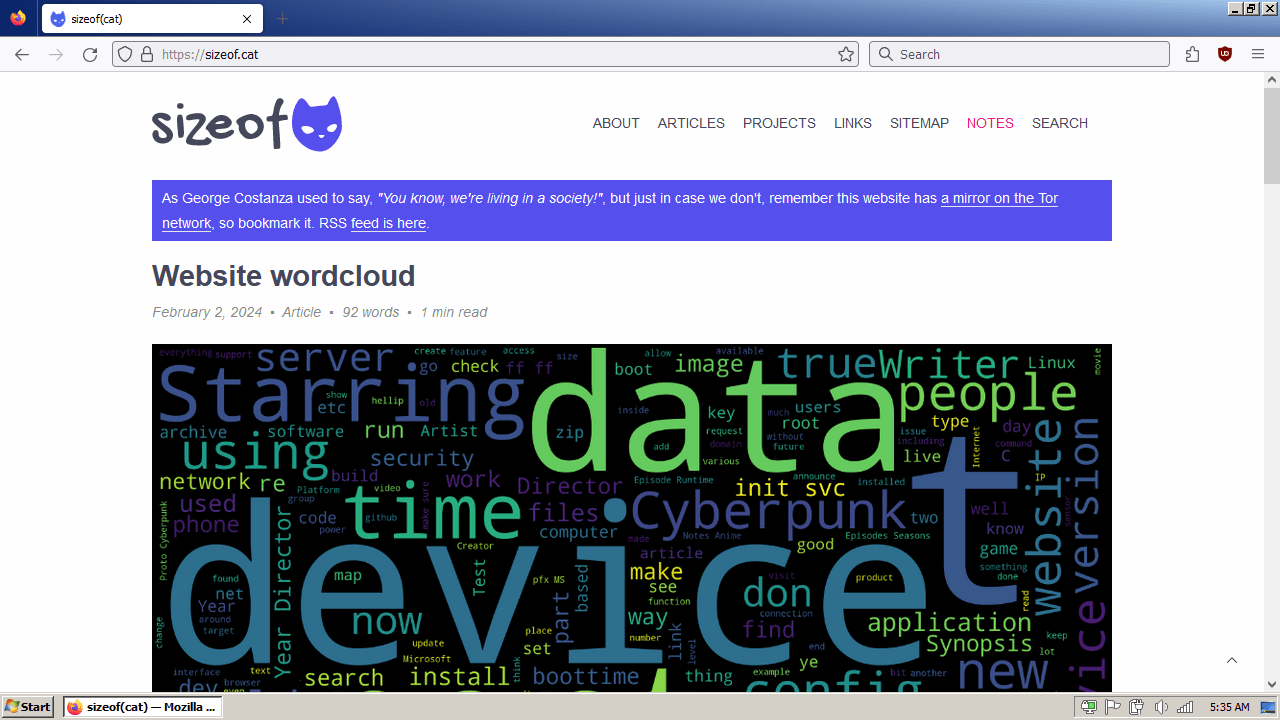
Remember to install uBlock Origin on your Firefox, and tweak your Firefox installation to not leak so much telemetry data.
Open about:config in Firefox and make sure the settings below are setup as below (they should be if you’re on ESR):
toolkit.telemetry.archive.enabled = false
toolkit.telemetry.enabled = false
toolkit.telemetry.unified = false
toolkit.telemetry.unifiedIsOptIn = false
toolkit.telemetry.bhrPing.enabled = false
toolkit.telemetry.firstShutdownPing.enabled = false
toolkit.telemetry.hybridContent.enabled = false
toolkit.telemetry.newProfilePing.enabled = false
toolkit.telemetry.reportingpolicy.firstRun  = false
toolkit.telemetry.shutdownPingSender.enabled = false
toolkit.telemetry.updatePing.enabled = false
browser.newtabpage.activity-stream.feeds.telemetry = false
browser.newtabpage.activity-stream.telemetry = false
browser.ping-centre.telemetry = false
browser.vpn_promo.enabled = false
devtools.onboarding.telemetry.logged = false
datareporting.healthreport.uploadEnabled = false
datareporting.policy.dataSubmissionEnabled  = false
experiments.activeExperiment = false
experiments.enabled = false
experiments.supported = false
network.allow-experiments = false
toolkit.telemetry.rejected = true
toolkit.telemetry.coverage.opt-out = true
datareporting.sessions.current.clean = true
toolkit.telemetry.server = ""
toolkit.telemetry.prompted = 2
app.normandy.enabled = false
extensions.pocket.enabled = false
identity.fxaccounts.enabled = false
For improved security you should also keep JavaScript disabled:
javascript.enabled = false
WebGL should be disabled for privacy reasons:
webgl.disabled = true
Some more settings that should be disabled for security and privacy reasons:
beacon.enabled = false
privacy.firstparty.isolate = true
privacy.resistFingerprinting = true
device.sensors.enabled = false
device.sensors.motion.enabled = false
device.sensors.orientation.enabled = false
dom.battery.enabled = false
geo.enabled = false
dom.event.contextmenu.enabled = false
dom.event.clipboardevents.enabled = false
dom.gamepad.enabled = false
dom.push.enabled = false
dom.push.connection.enabled = false
dom.webnotifications.enabled = false
media.eme.enabled = false
media.peerconnection.enabled false
network.predictor.enabled = false
permissions.default.camera = 2
permissions.default.geo = 2
permissions.default.microphone = 2
permissions.default.desktop-notification = 2
permissions.default.xr = 2
browser.eme.ui.enabled = false
Games
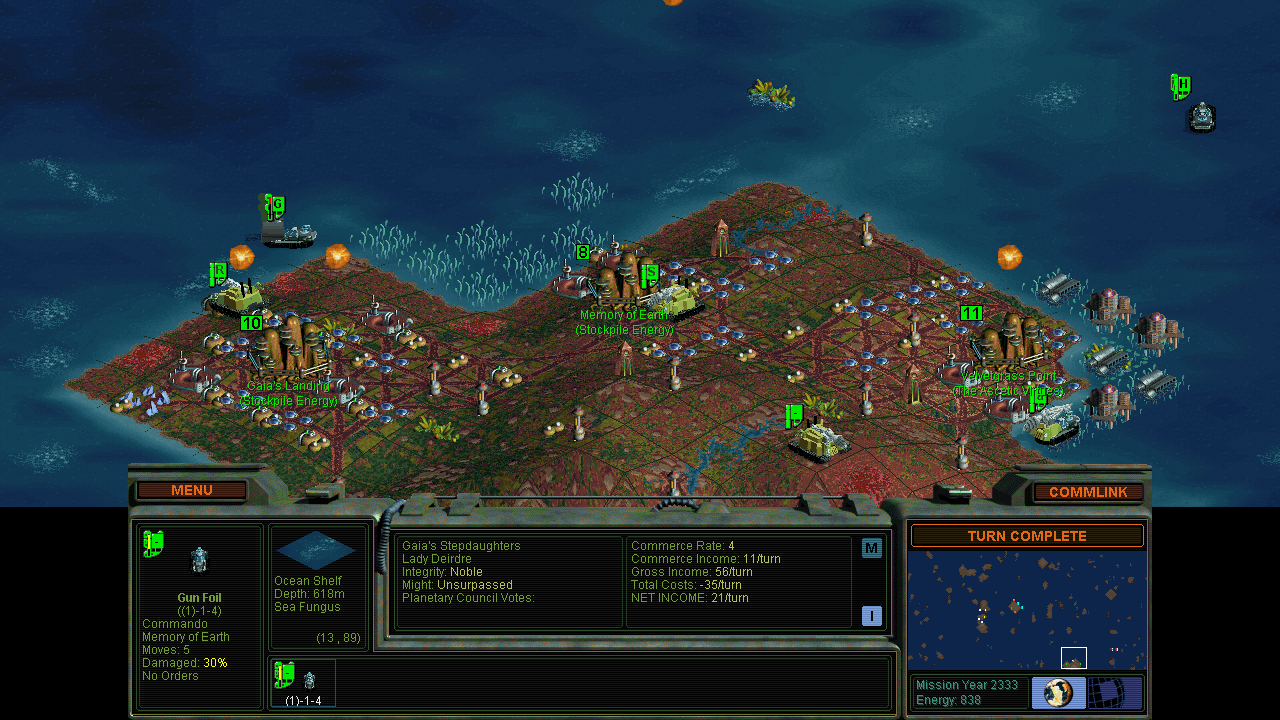
Good old Games is your best friend, the old games work without a problem, the only thing to consider is that some of the old games are looking for a fixed resolution, like 1024x768 or 800x600, and Booklet’s atypical resolution of 1280x720 will make some games complain. Don’t be afraid to use Compatibility mode!
- Age of Empires Gold
- Age of Empires II
- Anno 1503
- Arcanum - Of Steamworks and Magick Obscura
- Baldur’s Gate
- Baldur’s Gate 2
- Caesar 3
- Call to Power 2
- Commandos - Behind Enemy Lines
- Commandos - Beyond the Call of Duty
- Commandos 2
- Diablo
- Diablo II
- Diablo II - Lord of Destruction
- Dungeon Siege II
- Dune 2000
- Emperor - Rise of the Middle Kingdom
- Fallout
- Fallout 2
- Fallout Tactics
- Disney’s Hercules
- Homeworld
- Homeworld Cataclysm
- Heroes of Might & Magic 3
- Icewind Dale
- Icewind Dale 2
- Imperialism II
- Knights and Merchants
- Mech Commander 2
- Myth - The Fallen Lords
- Myth II - Soulblighter
- Neverwinter Nights Diamond
- Pharaoh Gold
- Planescape Torment
- Quake
- Quake II
- Quake III
- Samorost
- Settlers 2
- Sid Meier’s Alpha Centauri
- StarCraft
- StarCraft - Brood War
- Torchlight
- Warcraft II - Battle.net Edition
- Warcraft III - Reign of Chaos
- Warcraft III - The Frozen Throne
- World of Warcraft Vanilla
- Zeus
Emulators
- NES: Mesen 1 or 2, more NES emulators
- SNES: Snes9x and Mesen-S / Mesen 2
- N64: Retroarch or older version of Project 64
- Gamecube and Wii: Dolphin (last supported Version on Windows 7 is 5.0-16391). If you got a older system (32 bit), just grab a older stable release version like 4.0 or 3.0 from their website.
- Wii U: Cemu (minimum requirement is OpenGL 4.5 on GPU).
- Arcade: Mame (the newest works on Windows 7 but versions depends on System)
- Playstation 1: Duckstation (the latest supported is v0.1-5624) / Retroarch; for older systems (like 32 bit) i would get ePSXe Emulator depends on version, otherwise Retroarch is a better use to go depends on liberto.
- Playstation Portable: PPSSPP
- Playstation 2: PCSX2 (latest stable version is 1.6.0 on Windows 7, although there are workarounds on 1.7 dev builds (up to version v1.7.3581) according on Emu Gen Wiki
- Playstation 3: RPCS3 (older version which has support for Windows 7
- Dreamcast: Redream or Flycast
- Gameboy / Color / Advance: mGBA / Visualboyadvance
- Nintendo DS: DeSmuME / melonDS
- Nintendo 3DS: Citra (Nightly 1898 is the last support version on this operating system (for lower end Nighly 1782 is needed))
- Nintendo Switch: Yuzu (Mainlaine Build 990 or 991 is the newest on win 7) / Ryujinx (1.1.1207 is the newest version on Win 7)
- Emu Gen Wiki
Tips
To uninstall a specific KB:
C:\Windows\System32> wusa /uninstall /kb:30000000 /quiet /norestart
To run some Windows 8+ applications on Windows 7, install Windows 7 API Extensions.
To create a system restore point from the command prompt:
C:\Windows\System32> wmic.exe /Namespace:\\root\default Path SystemRestore Call CreateRestorePoint "System Restore", 100, 7
permalink http://sizeof.cat/post/nokia-booklet-retro-station/
created January 5, 2024
updated September 23, 2024
words 5333
tags #hardware, #retro, #nokia, #booklet, #windows 7
A series is usually a collection of multiple website posts about the same subject and dependent of each others. This article is from the Nokia Booklet 3G series:
- Virtualization and Windows 7
- VPN killswitch and Windows 7
- Nokia Booklet retro-station - Windows 7
- Building and running 32bit software on Devuan/Debian
- Going back to my roots
- Nokia Booklet 3G - Sensors


