Huawei E3131 and friends, on OS X Leopard (PowerPC)
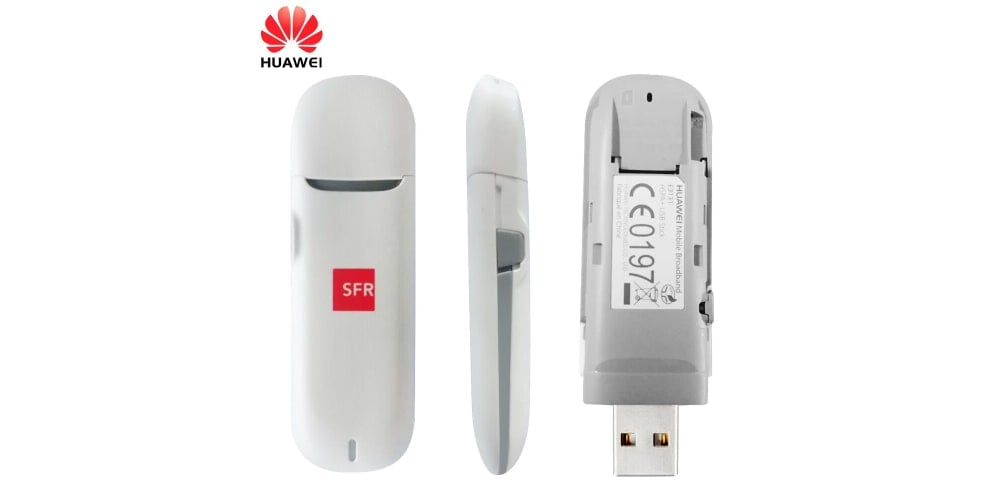
You know I said in this article “how I wish I could find a working PowerPC driver” for my Huawei E3131 3G modem? Well, today I decided to do another try and dig the old archives some more. I already had about 500Mb of drivers, all not working on PowerPC obviously, for various reasons (no ppc slice, using a newer version of IOKit, or simply won’t load), and today I think I went over 1GB of drivers and Huawei partner binaries and ISOs.
After patching so many kexts that my fingers went numb, I ran into a kext that looked promising, except it didn’t trigger anything when I plugged my Huawei E3131 modem in a USB port, which means the device definitions were wrong. So, I opened HuaweiDataCardACMData.kext/Contents/Info.plist and I added the three interface definitions for the E3131 modem, PCui interface and diagnostic interface. The modified kext file can be found here, archived.
<key>HUAWEI_1506_DIAG</key>
<dict>
	<key>CFBundleIdentifier</key>
	<string>com.huawei.driver.HuaweiDataCardACMData</string>
	<key>HWInterfaceBaseName</key>
	<string>HUAWEIMobile-</string>
	<key>HWInterfaceSuffixName</key>
	<string>Diag</string>
	<key>IOClass</key>
	<string>HuaweiDataCardACMData</string>
	<key>IOProviderClass</key>
	<string>IOUSBInterface</string>
	<key>bConfigurationValue</key>
	<integer>1</integer>
	<key>bInterfaceNumber</key>
	<integer>3</integer>
	<key>idProduct</key>
	<integer>5382</integer>
	<key>idVendor</key>
	<integer>4817</integer>
</dict>
<key>HUAWEI_1506_MODEM</key>
<dict>
	<key>CFBundleIdentifier</key>
	<string>com.huawei.driver.HuaweiDataCardACMData</string>
	<key>HWInterfaceBaseName</key>
	<string>HUAWEIMobile-</string>
	<key>HWInterfaceSuffixName</key>
	<string>Modem</string>
	<key>IOClass</key>
	<string>HuaweiDataCardACMData</string>
	<key>IOProviderClass</key>
	<string>IOUSBInterface</string>
	<key>bConfigurationValue</key>
	<integer>1</integer>
	<key>bInterfaceNumber</key>
	<integer>0</integer>
	<key>idProduct</key>
	<integer>5382</integer>
	<key>idVendor</key>
	<integer>4817</integer>
</dict>
<key>HUAWEI_1506_PCUI</key>
<dict>
	<key>CFBundleIdentifier</key>
	<string>com.huawei.driver.HuaweiDataCardACMData</string>
	<key>HWInterfaceBaseName</key>
	<string>HUAWEIMobile-</string>
	<key>HWInterfaceSuffixName</key>
	<string>Pcui</string>
	<key>IOClass</key>
	<string>HuaweiDataCardACMData</string>
	<key>IOProviderClass</key>
	<string>IOUSBInterface</string>
	<key>bConfigurationValue</key>
	<integer>1</integer>
	<key>bInterfaceNumber</key>
	<integer>1</integer>
	<key>idProduct</key>
	<integer>5382</integer>
	<key>idVendor</key>
	<integer>4817</integer>
</dict>
To install this kext, unzip, copy the files to /System/Library/Extensions/ and load it using kextload.
$ unzip HuaweiDataCardACMData.kext.zip
$ sudo cp -R HuaweiDataCardACMData.kext /System/Library/Extensions/
$ sudo chown -R root:wheel /System/Library/Extensions/HuaweiDataCardACMData.kext
$ sudo kextload /System/Library/Extensions/HuaweiDataCardACMData.kext
If you plug the Huawei E3131 modem into an USB port (and if it has CD mode deactivated), new devices will appear inside /dev/:
ls /dev/tty.HUAWEIMobile*
/dev/tty.HUAWEIMobile-Modem /dev/tty.HUAWEIMobile-Pcui
You can use minicom or screen to connect to the /dev/tty.HUAWEIMobile-Pcui port and issue AT commands to the modem, or you can configure OS X networking to use the /dev/tty.HUAWEIMobile-Modem port to connect to the 3G network.
To configure networking, go to “System Preferences” -> “Network” -> “HUAWEIMobile-Modem”, put *99# as the phone number (or whatever your ISP gave you), click “Advanced” and select modem vendor as “Generic”, model as “GPRS GSM 3G” and APN as “internet” or “net” (depends on your ISP). Click OK or Apply and now you can connect successfully.
I don’t suggest you install the Mobile Partner software since it’s in Java and it starts very slow, but if you want that you can either install this package or just unzip this archive and copy Mobile Partner.app to /Applications (you will also need this Java library for serial comms). Your choice. It will automatically detect the modem if you installed my patched kext and will connect to your ISP network.
You can use screen or minicom to query the modem for capabilities, information, and to switch it from disk mode into modem mode (something a Linux-distro would normally do using the usb-modeswitch package).
$ ls /dev/tty.HUAWEIMobile*
/dev/tty.HUAWEIMobile-Pcui
$ screen /dev/tty.HUAWEIMobile-Pcui
AT^SETPORT="FF;10,12,16"
OK

The AT commands that can be issued to the modem can be found in this parent article.


