January 30, 20255269 words25 mins readPart of Apple iBook G4 series
This is the second part of the “My Apple iBook G4” series of articles, and it’s all about the software you can run on your iBook G4, under Mac OS X 10.5.8 Leopard.
I’ll try to link to the original sites or Archive.org copies first, for a bit of safety.
Those of us who critique and criticise the world are naturally avoidant of others who share the same world view as us. Why? Because knowing ourselves as we do, we don’t wish to be subject to their critique exposing us to our own faults of which we are likely already painfully aware of. We are afraid of the rejection and being lumped in with the rest of society we so loathe for their mindless ways.
January 20, 20253238 words16 mins readPart of Apple iBook G4 series
Made from ultratough polycarbonate plastic — the same high-grade material used in bulletproof glass — the iBook’s sleek white case resists impact. While that measure alone might have allowed iBook to comfortably survive everyday use and abuse, Apple engineers took the idea of protecting your investment quite seriously. Inside, a sturdy magnesium frame provides superior strength, while reducing the weight of the iBook G4 to well below that of other full-featured PC notebooks. Rubber mounted for added bump tolerance, the iBook’s hard disk drive lets you store all of your digital goodies and still enjoy peace of mind. What’s more, the iBook has no I/O doors or protruding elements — and no optical drive tray, either — to break or snap off when tucked into a backpack or briefcase. Apple website
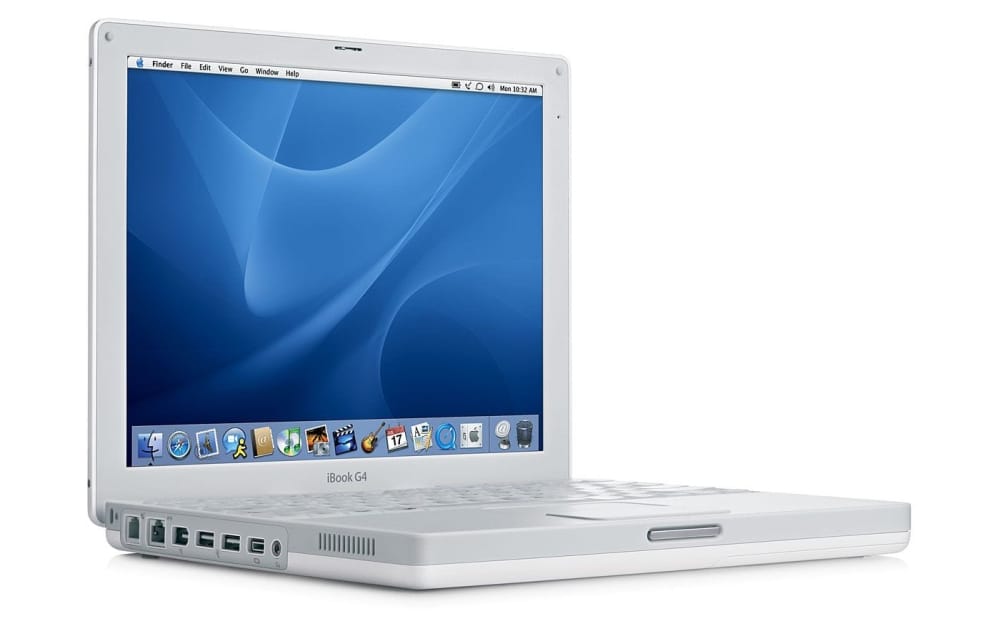
My machine is an Apple iBook 12"1.2GHz/256/30G/Combo/APX (at least that’s what the sticker behind the keyboard is trying to tell me), which means it has a 1.2GHz PowerPC CPU that cannot be replaced (unless you replace the whole mainboard, or logic board as Apple likes to call it), 256MB of RAM onboard, a 30G HDD, a Combo CD reader/DVD reader/CD writer unit (no DVD writer, I think that’s called a SuperDrive and it used to cost extra) and an Airport Extreme WiFi card. Basically, except the aforementioned SuperDrive and the Bluetooth module, everything is perfect (the last and best iBook G4 had a 1.42GHz CPU and 512MB of RAM built-in, but the difference is small and I’m not too fussed about it).
As a follow-up to my world-renown Web browser telemetry article, which I will update soon, I promise, I decided to do a similar test to see which Windows edition and version performs the most network connections (and where to) after a default install.
This is the last article of 2024, see you next year. Happy holidays!
Friend, you need to finally learn your lesson. What you’re chasing doesn’t exist. Only the promise of it does. That promise will lure you, bring you deeper in, coax ever more time and energy out of you, because you think there’s something behind the door at the end of the tunnel, a soundless roar or a brief tingling fleshy lightness, and so you take trembling steps forward and assure yourself, out loud, that this is what you want. What you will find, if you follow the tunnel to its end, make the secret combinations, speak the passcodes, and open the door for yourself, is that there was never anything behind it but a bare brick wall.
Every time people have to be reminded of this fact. Every time, you let yourself dream of hidden vaults, rumored chambers long-lost, secret corridors guarded with countersigns. Every time, you find the same door, open it, and sigh, promising yourself not to be deceived so easily again. And every time, as soon as you’re out of the tunnel, on the favored walks, under the skies and stars, you dream again, of enchanting mysteries waiting only for someone to find them.
Internet’s ephemerality is a thing, you know, so what are you archiving? Maybe you like anime? Or you’re an appreciator of Rocco Siffredi’s fine work of art? You like to hoard books, so you already have a copy of Z-library? Maybe old MOD or MIDI tunes?
Personally I’m not archiving current stuff (current applications for example, except operating systems in ISO image format) and I’m not too worried about RAID 1 or special NAS hardware/software. Basically I’m archiving stuff that will be hard to find or impossible, stuff that I might enjoy to browse through someday, old photos and videos, old movies, etc.
During the last OCC (Old Computer Challenge, 2024) I planned to write a Symbian application for my phone, but in the end it turned out that one week is not enough to do everything I had planned; I did research a bit on what I need to develop apps for a Symbian Belle-powered Nokia 808 PureView smartphone.
Unlike Blackberry OS applications, that needed to be signed by Blackberry so it’s impossible to sign new apps since the Blackberry infrastructure has been taken down, Symbian applications can be self-signed so you can write new applications if you want to.
There are two ways you can develop apps for Symbian in the current year (2024): one is by using Qt and Qt Creator, and the other one is by using Nokia’s Carbide++ IDE and Nokia’s Symbian Belle SDK. In this article I’ll talk about the first way, which is Qt; also, the machine is running Windows 10, if you have a different OS you will need to download a different version of Qt. Start here.
Sometimes you want to install the Android emulator on Windows (the steps can be reproduced on all platforms, but for the scope of this document we’re talking about Windows), but without installing the whole Android Studio, maybe you’re using or testing Android apps and you don’t want to go through the hassle of installing the whole IDE.
Go to the Android Studio download page and download the Command line tools only package for Windows. Extract it somewhere and rename the cmdline-tools directory to latest. Make an android directory somewhere and a cmdline-tools directory inside and put the latest directory with all the files inside the cmdline-tools dir.