Let’s say you have a fat OS X binary (aptly called RandomFatBinary) that might contain code for multiple architectures (PowerPC and i386) and you want to confirm that, and if so, slice out one the code for one (or both) architecture(s).
Start by identifying the multiple architectures using the file utility:
$ file RandomFatBinary
RandomFatBinary: Mach-O universal binary with 2 architectures: [ppc:Mach-O dynamically linked shared library ppc] [i386:Mach-O dynamically linked shared library i386]
RandomFatBinary (for architecture ppc):	Mach-O dynamically linked shared library ppc
RandomFatBinary (for architecture i386):	Mach-O dynamically linked shared library i386
Same thing can be accomplished using the lipo utility:
$ lipo -archs RandomFatBinary
ppc i386
IDA Pro can obviously do the same thing, if you have access to it.
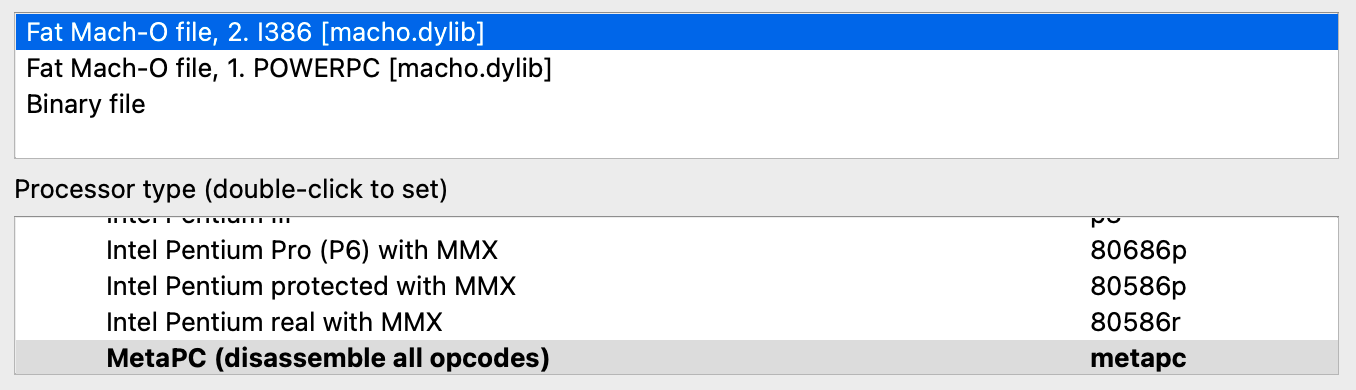
Obviously, the binary has two slices for PowerPC (ppc) and i386 architectures, now how do we get just the PowerPC slice?
$ lipo -remove i386 RandomFatBinary -output RandomFatBinary_ppc
This command will create a file named RandomFatBinary_ppc which will contain just the ppc slice (the i386 slice gets removed by the -remove i386 parameter). If you want to get the i386 slice, use the following command:
$ lipo -remove ppc RandomFatBinary -output RandomFatBinary_i386
Done. Make sure you don’t mix the commands and file names.


