My Apple iBook G4 - development

June 20, 20251637 words8 mins readPart of Apple iBook G4 series
My Apple iBook G4 - development

This is the fifth part of the “My Apple iBook G4” series of articles, and it’s all about setting up a development environment with modern-ish tools on my iBook retrobook.

You can install all the software you want, and all the games available for the PowerPC architecture and OS X 10.5 Leopard, but if you want to setup a development environment on a 20-years old machine, you will definitely need to jump through some hurdles. But in the end you will have a decent machine to write code (and test) on, unless you need specialized stuff like NodeJS, Docker, Golang, Redis, or things that require an octacore CPU and 64GB of RAM. But for that you should use a better-suited machine, anyway.

Read more ...

Workspace: Leopard

June 18, 2025    Workspace

Workspace: Leopard

OS: Apple OS X LeopardHardware: Apple iBook G4Architecture: PowerPCMemory: 1.25GB
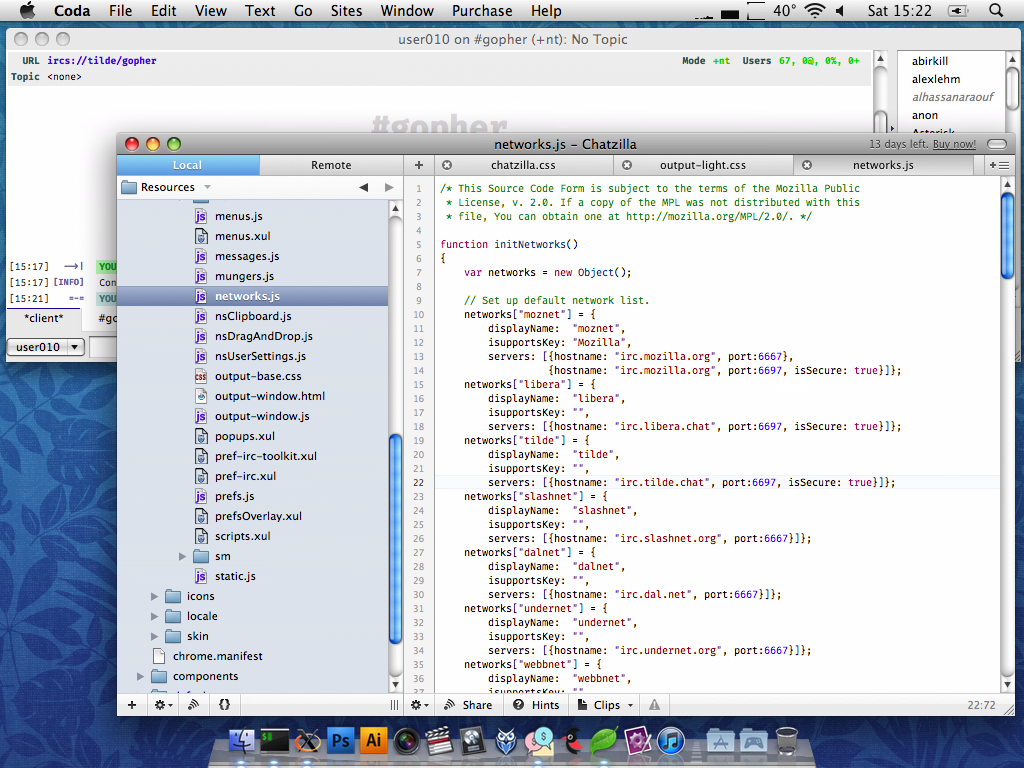
Working on a Chatzilla fork that would run on the Fukurou web browser, and testing it on tilde.chat. Development in Coda.

Playing tricks with web browser tabs

June 18, 20251047 words5 mins read

For the past few months I’ve been getting several emails and people were asking me about the tomfoolery regarding my website and the web browser tabs. Basically people were wondering how the tab title and favicon change (to Reddit, Instagram, TikTok) when the tab with my website gets deactivated, and when it’s reactivated it changes back to the initial text/image. Check it out yourself, click on another web browser tab, and then click back to this one. Interesting, eh? Annoying, eh? Can’t decide?

Well, it’s quite simple. Start by adding a link element to your page’s head and set its href attribute to an existing favicon in PNG format. This is supposed to be your default favicon, the one that gets displayed inside the web browser tab when the tab is focused. Make sure you have a <title> tag on your page, too.

<link rel="shortcut icon" type="image/png" href="favicon.png" />
Read more ...

Website updates

June 17, 2025476 words3 mins read

You probably noticed the website went offline during the past few days, or maybe not, since most of you are reading my website through their RSS reader. I’ve been thinking a lot whether it was a good idea (I still believe it was), and some friends said that losing all the information that’s on my website would not be a thing I should be proud of, so the website is back with some changes:

  • I removed A LOT of content from the website because I felt like I was shouting into the void since nobody is listening anyway and definitely is not educated enough to realize humankind is going through a struggle that is not going to end well. To each his own, after all. There will be no more politics discussion here, 4chan is ↖ way and Reddit is ↘.
Read more ...

My Apple iBook G4 - dual-booting Tiger/Leopard

May 22, 2025637 words3 mins readPart of Apple iBook G4 series
My Apple iBook G4 - dual-booting Tiger/Leopard

This is the fourth part of the “My Apple iBook G4” series of articles, and it’s all about dual booting OS X (10.4) Tiger alongside OS X (10.5) Leopard on my iBook retrobook.

And a short article will it be, because everything is so simple: basically I want OS X (10.4) Tiger since I want to be able to run Classic Environment. The Classic Environment is a hardware and software abstraction layer in PowerPC versions of Mac OS X that allows most legacy applications compatible with Mac OS 9 to run on Mac OS X.

Read more ...

Web Browser telemetry - 2025 edition

April 16, 20253004 words15 mins read
Web Browser telemetry - 2025 edition

This is a re-release of my “world-renown” Web Browser Telemetry - 2021 edition article, updated for 2025.

Updated April 2025: added Floorp, Zen, Waterfox, Thorium and DuckDuckGo browser.
Later edited: The initial test for Ungoogled Chromium showed three connections being made, but that was a mistake on my side (due to the fact that Ungoogled Chromium is my default browser, I have a daemon that’s syncing my dotfiles, text editor and browser settings, etc), so the three connections were established because I had 2 extensions installed (uBlock Origin Lite and Chromium Web Store). The two google.com connections were established by the Chromium Web Store extension, and the raw.githubusercontent.com one was established by uBlock Origin Lite, to update its filters. To summarise, Ungoogled Chromium has no default connections whatsoever and I have updated the chart and its section with the actual data. I actually re-did all the browser tests just to make sure I didn’t taint any more results, but everything else was as expected.

This is not an article about which desktop web browser is the best (there is no such thing) but an article about which browser has the most connections after a fresh install. The results shouldn’t be a surprise, really.

Read more ...

macOS (and OS X) download links

April 9, 2025353 words2 mins read

If you need to download any of Apple’s operating system images (both OS X and macOS), you can always find DVD images around but I wasn’t able to discover a main list where everything is linked. So here is that, all disk images between Leopard (2007) and Sequoia (2024) can be found here, some as magnet links, some as direct downloads from Apple’s servers. For older versions, like Panther, Puma, Tiger, etc, you can always use the Internet Archive.

Read more ...

Internet Radio - the list

February 26, 202581110 words381 mins read
Internet Radio - the list

It’s time for another huge list, and today it’s a list of Internet Radio websites! Listen in your favorite web browser, music application or iTunes. Some of the websites might be down, temporarily or for good.

If you want the list (6057 entries) in CSV, XML, JSON or HTML format, I got you covered.

Read more ...

My Apple iBook G4 - games

February 15, 2025770 words4 mins readPart of Apple iBook G4 series
My Apple iBook G4 - games

This is the third part of the “My Apple iBook G4” series of articles, and it’s all about the video games you can run on your iBook G4, under Mac OS X 10.5.8 Leopard.

Well, it’s pretty simple: if you’re into retro games, think 1995-2009, there is a big chance that it will work on an Apple iBook G4 laptop. Its GPU is an ATI Radeon Mobility 9200 @ 200MHz with 32 MB of SDRAM @ 230MHz and the CPU is a PowerPC G4 @ 1.2 GHz, with 64KB L1 and 512KB L2 cache, 133MHz FSB. And 1.256 GB RAM @ 266MHz (not one thousand GB, 1GB + 256MB).

I tested some of my favorite games and it seems as if everything works just great with very good performance, but then again I don’t really play games newer than 2010, Oxygen Not Included is the only new video game I currently play.

Read more ...

Captain Blackbeard Radio #22

January 31, 2025521 words3 mins read

Captain Blackbeard Radio #22

#22 | CaptainBlackbeard Radio | To William, With Love

THE GREATEST EPIC AUDIO THRILL RIDE

THE KING OF PIRATE RADIO RETURNS!!!

This episode is about the people in this world. The Good people, The Bad People and The Shades of Gray they live within. In this episode, we give ye one of the biggest epics in CaptainBlackbeard Radio history. As we take ye into the underworld from the corruption and violence at the bottom of Mexico to the highest echelon of the United States government and how they’re all interconnected. Tensions are spilling over from the underworld and could inflame a war between the United States and Mexico with the boiling point being a prisoner exchange at the Gateway to the Americas International Bridge.

Read more ...